Devin January '25 Product Update
ImprovedRepo Context#
We’ve made major improvements to Devin’s ability to reason in context in a repository
Devin is now more likely to find all relevant files to edit, will notice and re-use existing code and patterns, and will make more accurate PRs overall. These changes will be gradually rolled out to all users by tomorrow.
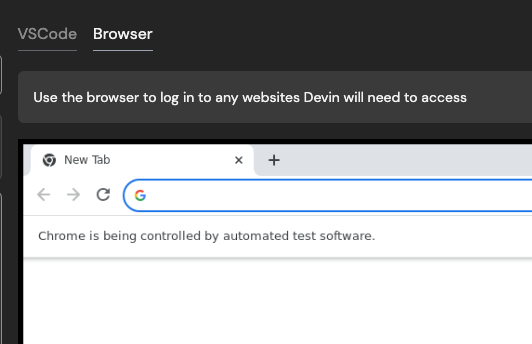
Use Devin’s Browser when setting up Devin’s workspace (i.e. machine snapshot)#
It’s now easier to get Devin started with testing websites that require login. If you log in for Devin during onboarding with Devin’s browser, we’ll save the cookie for future sessions (if the cookie expires, you’ll need to provide credentials for Devin in Secrets as well).
This also unblocks authentication processes that require visiting a URL on Devin’s machine.
Talk to Devin in Slack - Devin can now respond to audio messages#
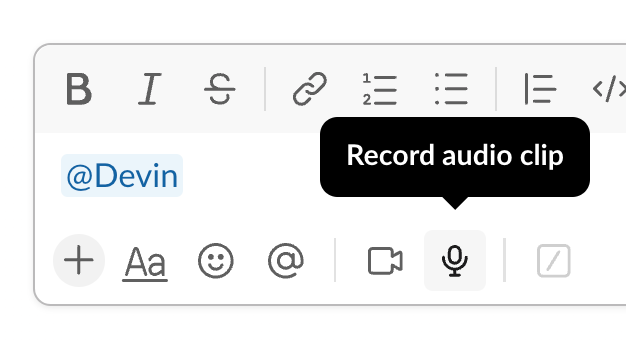
Try verbally explaining your tasks and feedback for Devin! You can now send Devin audio clips via Slack.
Introducing Devin enterprise accounts#
Enterprise accounts enable centralized management of multiple Devin organizations. Admins of enterprise accounts can:
- Manage members and access controls for all organizations
- Centrally manage billing across all organizations
Enterprise accounts are currently available to Devin Enterprise customers.
Introducing usage based billing#
Starting January 9th, you can now pay-as-you-go to keep building without limits, up to the additional usage budget you set.
Your subscription includes a monthly ACU capacity. Once these ACUs are used, you can pay-as-you-go. You will be billed at the end of your billing cycle or whenever your usage exceeds $2,000 — whichever comes first.
Set your additional usage budget in Settings > Plans > Manage Plan Limits or Settings > Usage and Limits > Manage Additional Usage Budget.
Solution for Docker storage & performance issues#
If you use Docker, there’s now a solution for storage and performance issues with Docker on Devin’s machine. A new version of our VM infra is now enabled by default for new teams. Existing teams can enable it:
- Navigate to Settings > Devin's Workspace > Danger Zone
- Switch to Large Performant (Beta) - this will require resetting your machine setup. If you want to opt in to experimental auto-migration, reach out to support@cognition.ai or via Slack Connect
Devin usage best practices#
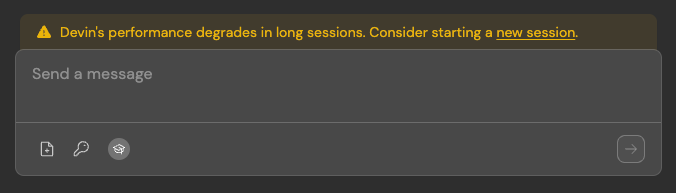
We’ve added nudges throughout our product towards some best practices, including:
- Keeping sessions under 10 ACUs (Devin’s performance degrades in long sessions)
- Providing details in your very first instruction to Devin, including:
- Specific requirements
- High level description of the task
- What Devin should do after making the requested changes - e.g. testing instructions, PR guidelines, or tell Devin to wait for CI to pass without testing locally
- (Optional) References to important files, classes, or concepts
- (Optional) Open questions - you can always ask Devin for an implementation proposal first before making changes
- If you find yourself often re-using instructions, add them to Devin’s knowledge in Settings > Devin’s Settings > Knowledge
Hire Devin#
You can start working with Devin today at app.devin.ai.
For more information about Devin Enterprise, reach out to our Sales team here.