Devin December '24 Product Update (Part 2)
Devin is now generally available!#
Check out our announcement on X. All engineering teams can now tag Devin to fix frontend bugs, create first-draft PRs for backlog tasks, make refactors, and more. Subscriptions starts at $500/month and include:
- Unlimited seats - Devin is built for engineering teams
- Access to Devin’s API, Slack integration and IDE extension
- Onboarding session & direct support from the Cognition engineering team
Devin is now faster and more cost-efficient#
Over the last 2 weeks, we’ve made Devin ~10% faster and ~10% more cost-efficient, especially for tasks that require Devin to make many code edits. This means the same task will require fewer Agent Compute Units (ACUs).
Fixes for crashing, stuck, and hanging Devins#
If you’ve noticed Devin stuck on the same action or unable to sleep/wake up, please let us know via Slack Connect or support@cognition.ai. These issues should not happen again, and we’re happy to refund your ACUs if they do!
More options to customize Devin#
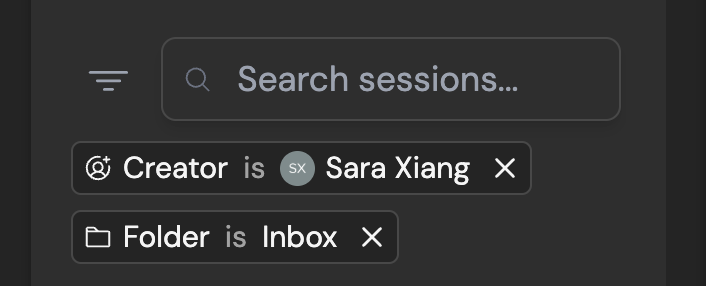
By default, sessions in your sidebar are filtered to non-archived sessions that you started. Change your default filters by clicking on the filter icon next to "Search sessions" > “Save as Default” at the bottom of your filters list.
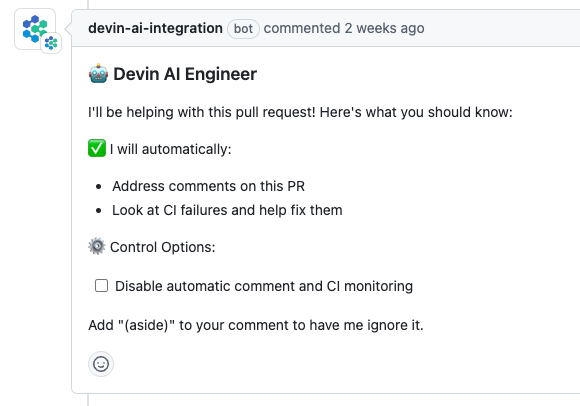
By default, Devin automatically responds to PR comments and CI failures. Change this using the “Control Options” section in Devin's PR comment.
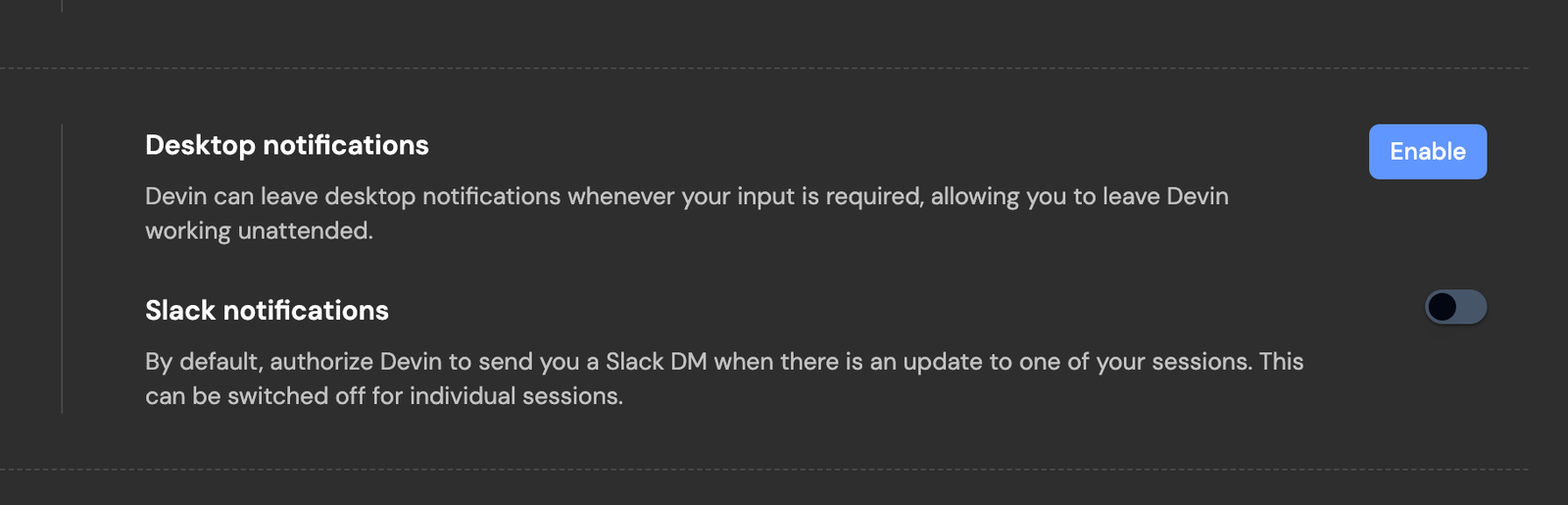
Always receive Slack notifications from Devin, even when you start sessions from the web app. Turn on Slack notifications in Settings > Profile.
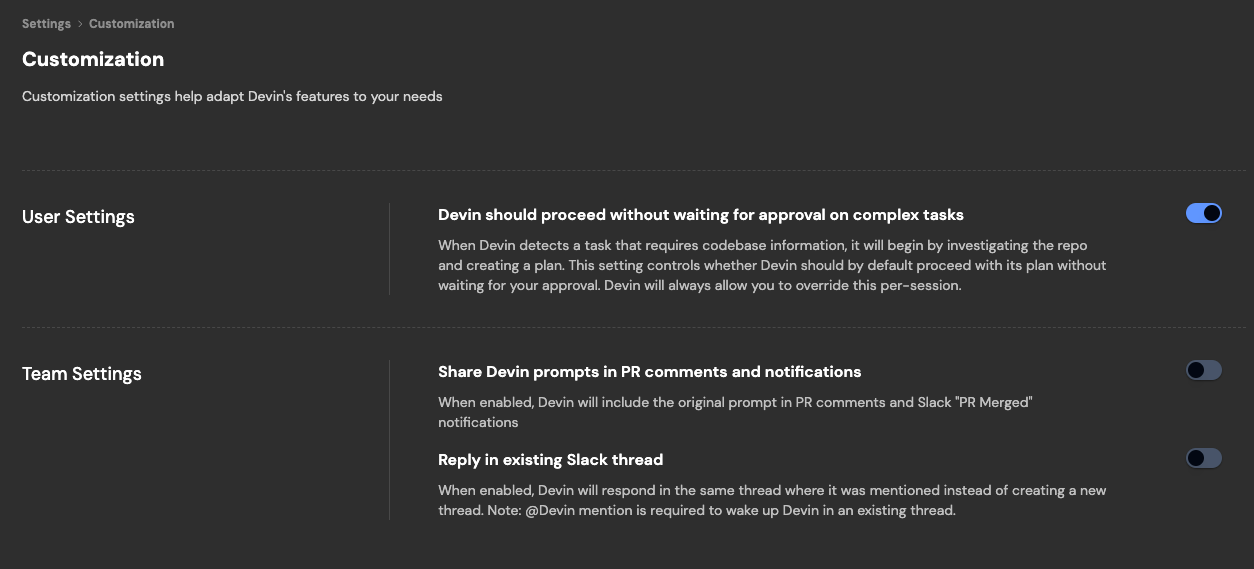
Customize whether Devin sessions start in existing or new Slack threads, whether Devin waits for you to approve its plan, and more in Settings > Customization.
Devin can send Slack updates on its Github activity. Configure the channel these updates are sent to in Settings > Integrations.

Share Devin sessions you start in the web app to Slack. You can now change the default channel.

Configure + monitor Devin’s machine#
If you need to increase Devin’s machine size (disk space, RAM, CPU), we’ve added additional options in Settings > Devin’s Workspace > Danger Zone.
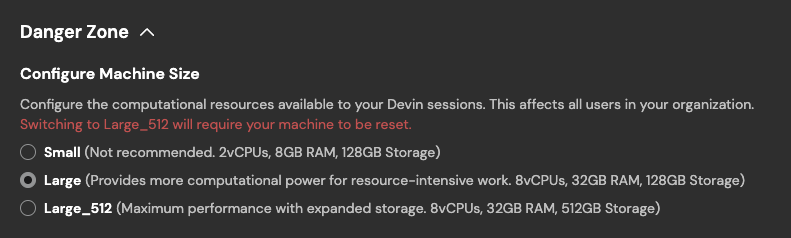
You can always monitor Devin’s machine utilization during a session, in the top right corner of the session page.
Pinned and auto-updated Knowledge#
Knowledge Devin should always remember when working in a repository can now be pinned.
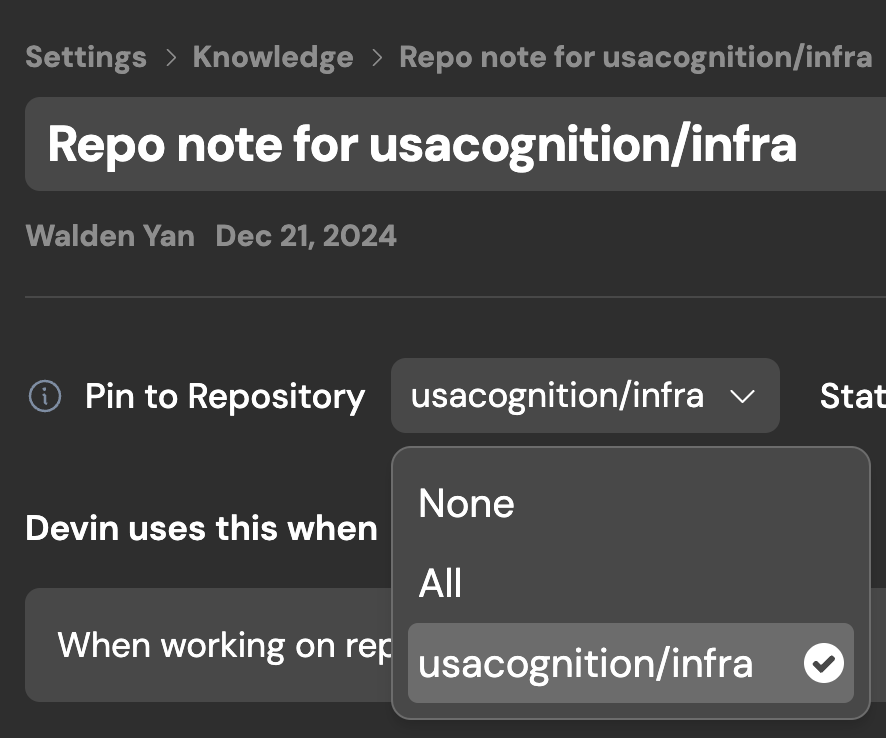
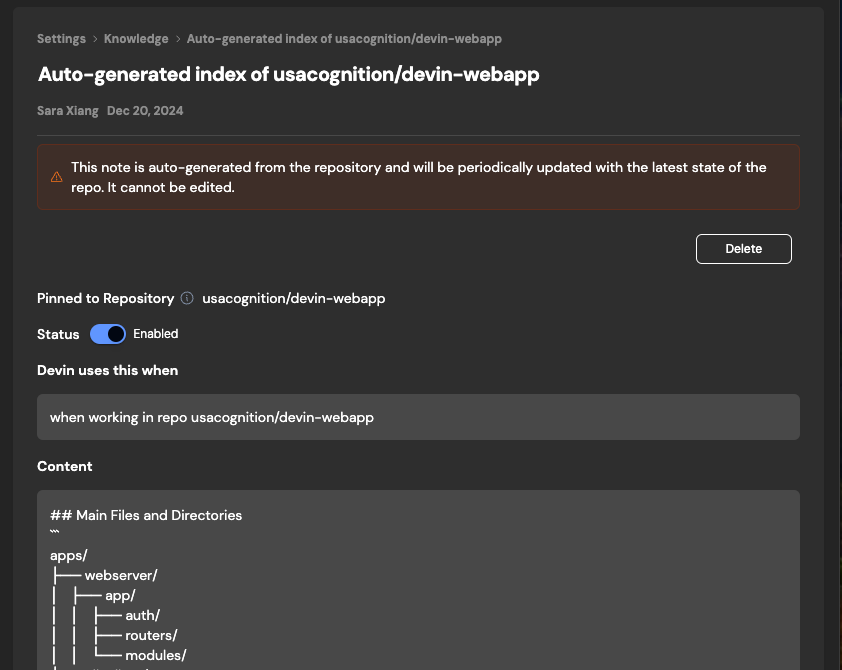
Devin also auto-generates and auto-updates its own Knowledge on repo structure and components. Find auto-generated notes under Knowledge > Repo Knowledge.
Hire Devin and learn more#
Devin is now available to all engineering teams at app.devin.ai. To learn more about recent improvements to Devin, check out Part 1 of our December Product Updates.