Devin December '24 Product Update
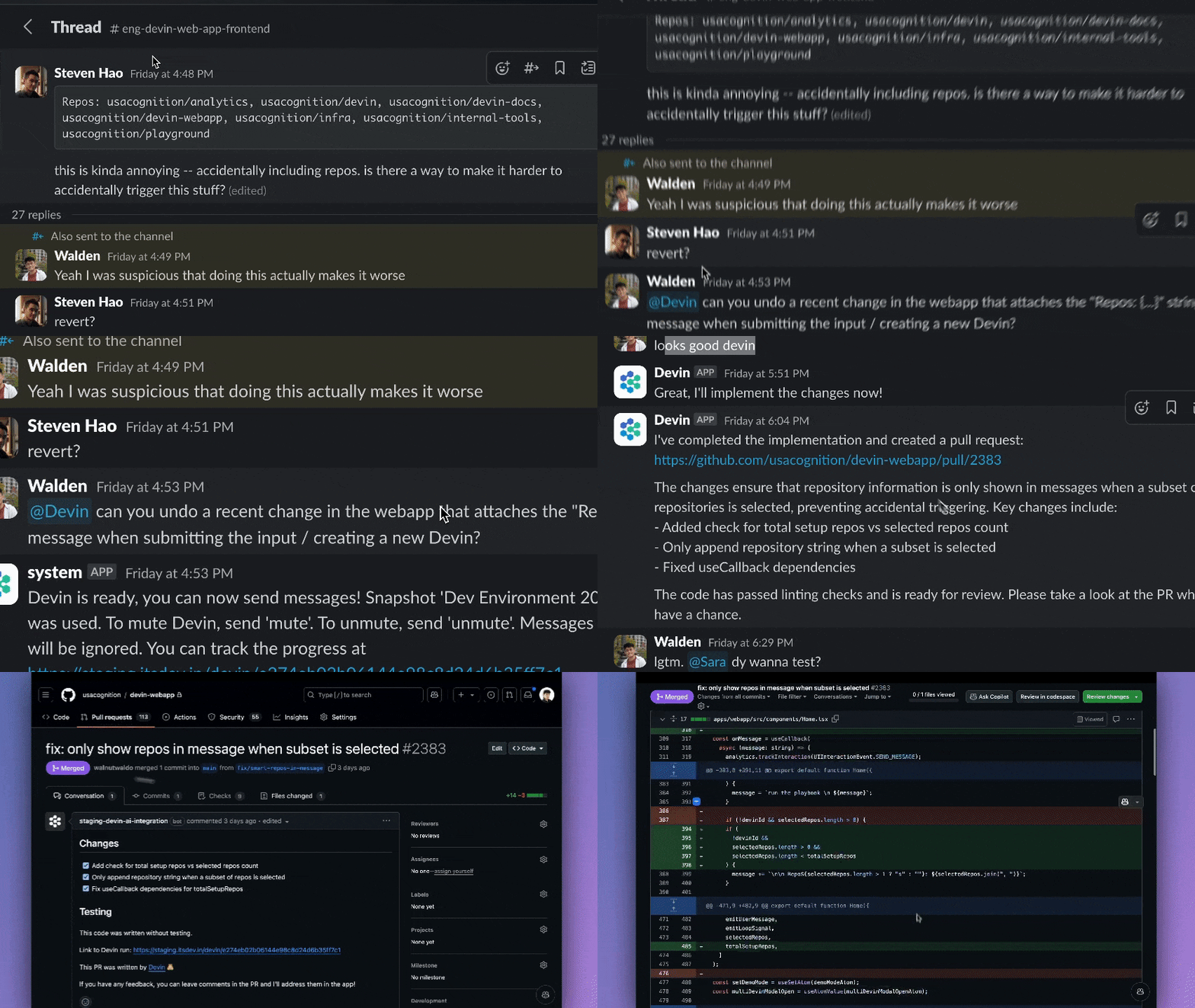
Collaborating with Devin through Slack now better mirrors the experience of working with your human teammates#
As bug reports and frontend edge cases are reported in Slack, try tagging @Devin in thread:
- For complex tasks, Devin offers to wait for your confirmation -- configure this behavior in Library > Behaviors
- Devin proposes new Knowledge it should remember for future conversations in thread
- Try using Devin’s sessions list as your todo list — after tagging Devin in Slack, Devin works while you’re busy and updates Slack when the PR is ready. Archive Devin sessions once the task is done
Improved collaboration on PRs#
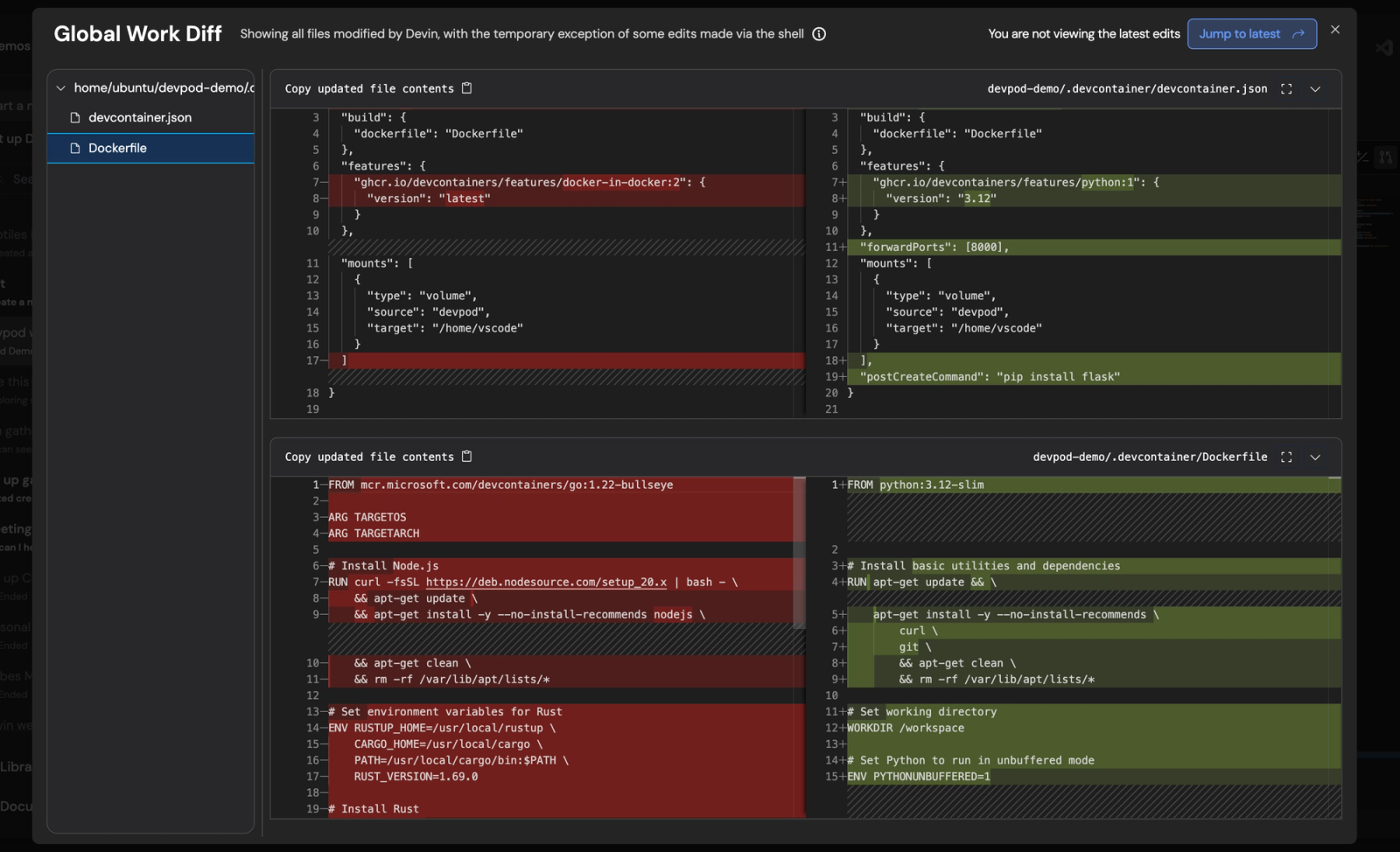
Ask Devin to create a PR! Recent improvements:
- When PRs receive comments or fail lint, Devin automatically wakes up to address
- Click “PR Preview” under the session title to check the changes Devin’s made before a PR is created
- Devin’s PRs clearly link to Devin sessions and the user requesting the PR
Talk to Devin from your IDE (Beta Access)#
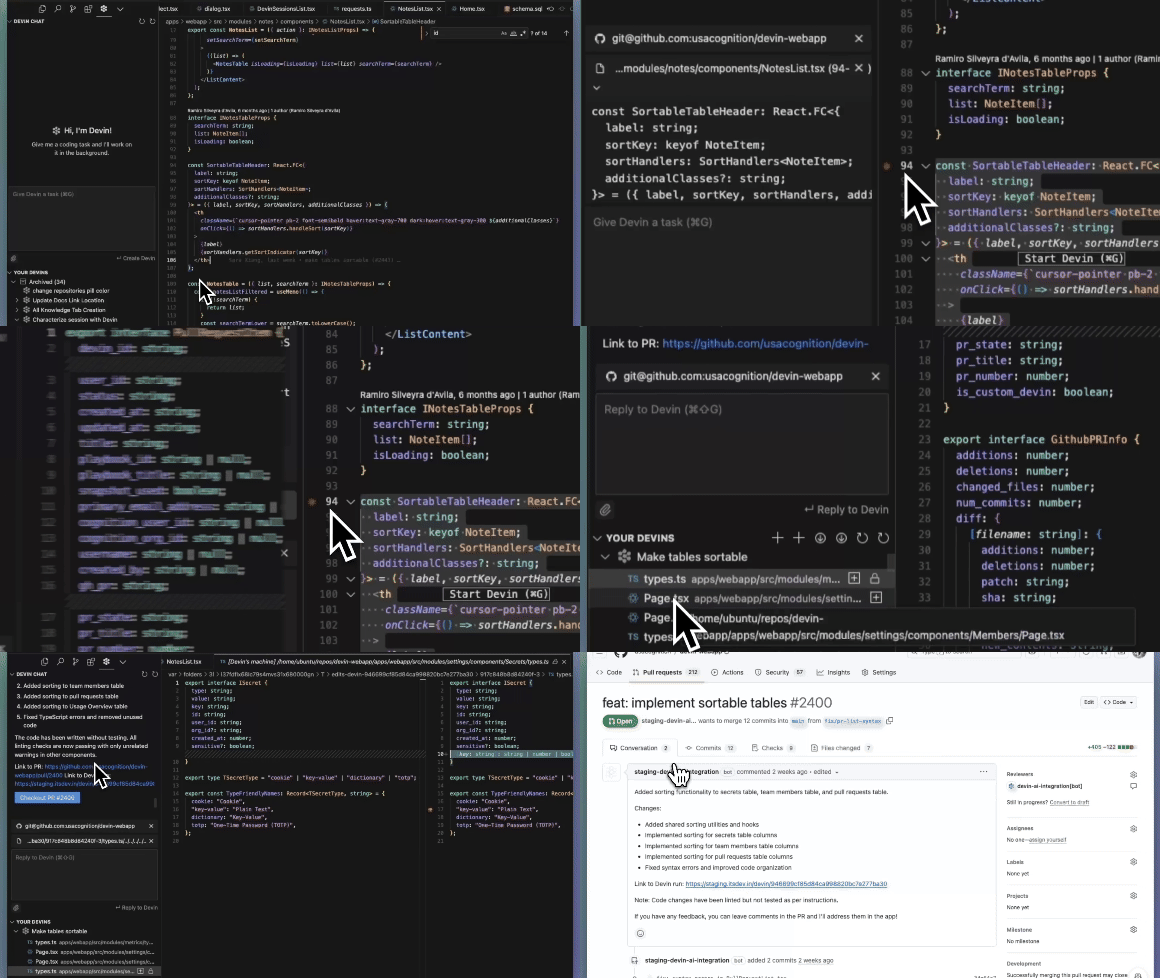
Hand off async work to Devin while you focus on your primary task. Review when convenient.
- Works in conjunction with Copilot and Cursor
- Devin’s just a shortcut away (Cmd+G)
- Keep track of your active Devins
- Review and accept code directly in your local IDE
Install the Devin Extension to get started.
For repetitive engineering tasks, try the Devin API with structured input/output#
Programmatically create Devin sessions and retrieve results (including structured output) using our new REST API:
- Integrate Devin into your own applications
- Write scripts to kick off multiple sessions in parallel
- Build powerful automation workflows on top of Devin
Specify a structured output format in your prompt, for example:
Devin, we're using auth0 instead of clerk - can you remove clerk support from the provided file? Output format: {file_path: string, lines_edited: int, success: bool}
View structured output on any session page with CMD+I, or click “Show structured IO” in the dropdown menu to the right of your session title.
Read our external API docs to learn more.

Repo Knowledge#
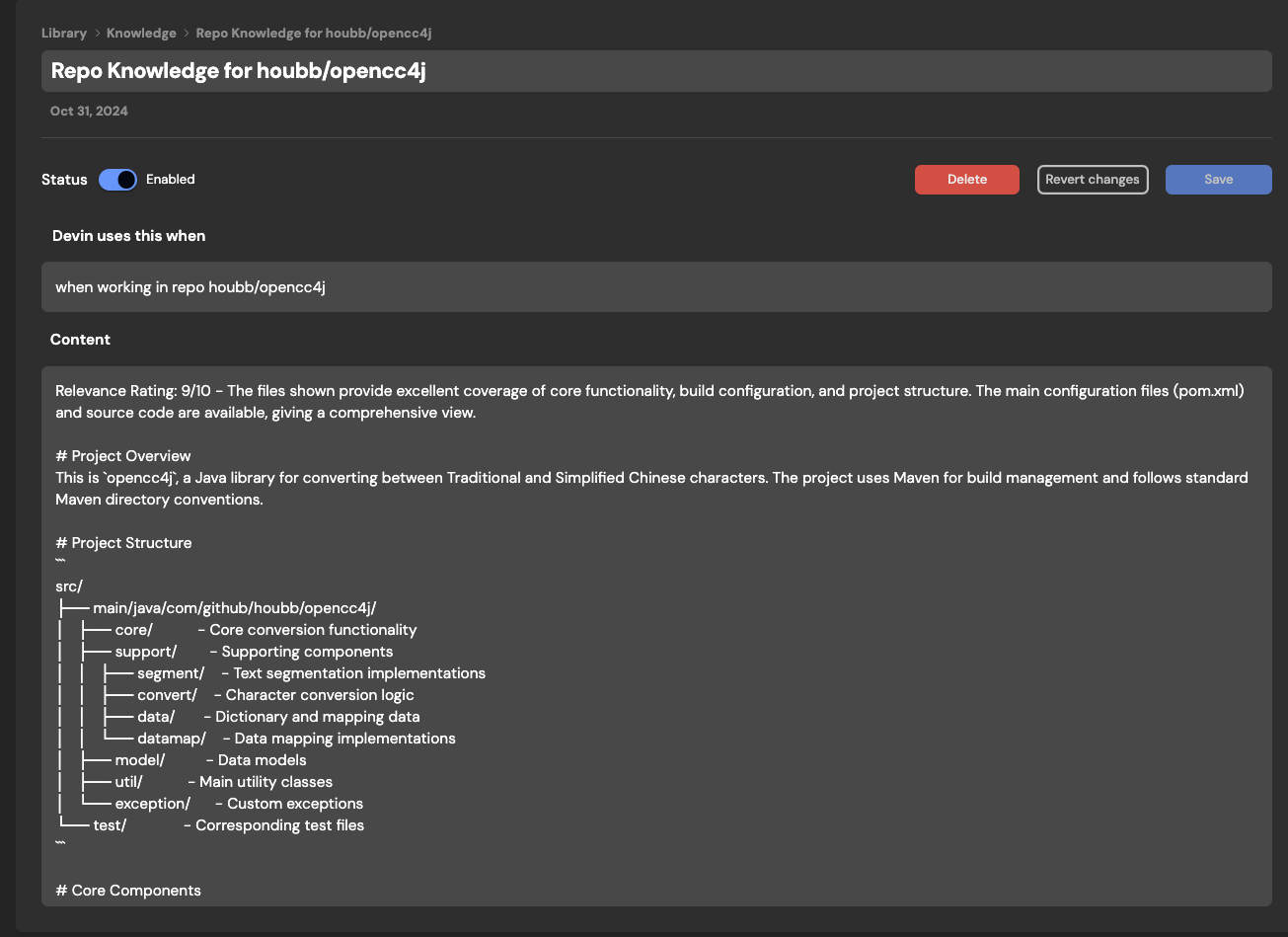
Devin will now automatically scan your repositories and generate Repo Knowledge. This allows Devin to more quickly and successfully do real work for you in your existing codebases. You can always add and edit your own Knowledge manually in Settings > Knowledge.

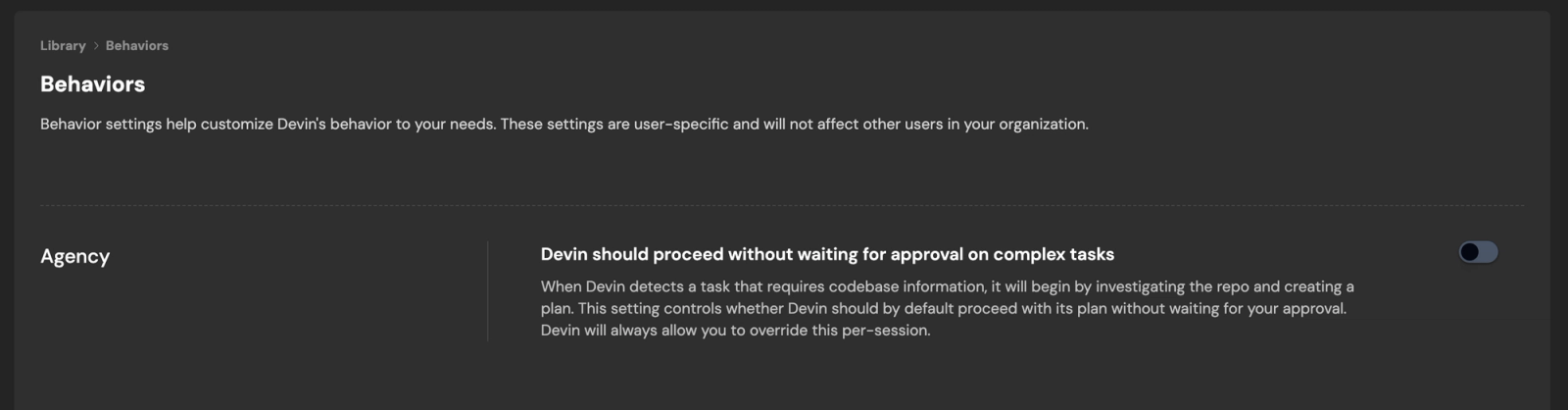
Configure Devin’s behaviors, including Agency#
For certain tasks, much of the work needed is figuring out what should be done and aligning on the approach. Devin will now automatically detect more complex tasks and spend time investigating the repo and proposing a plan before beginning execution.
When Agency is turned off, Devin will wait for you to approve its plan before proceeding. Configure Behavior such as Agency in Settings.
Onboard Devin + configure Devin’s Workspace#
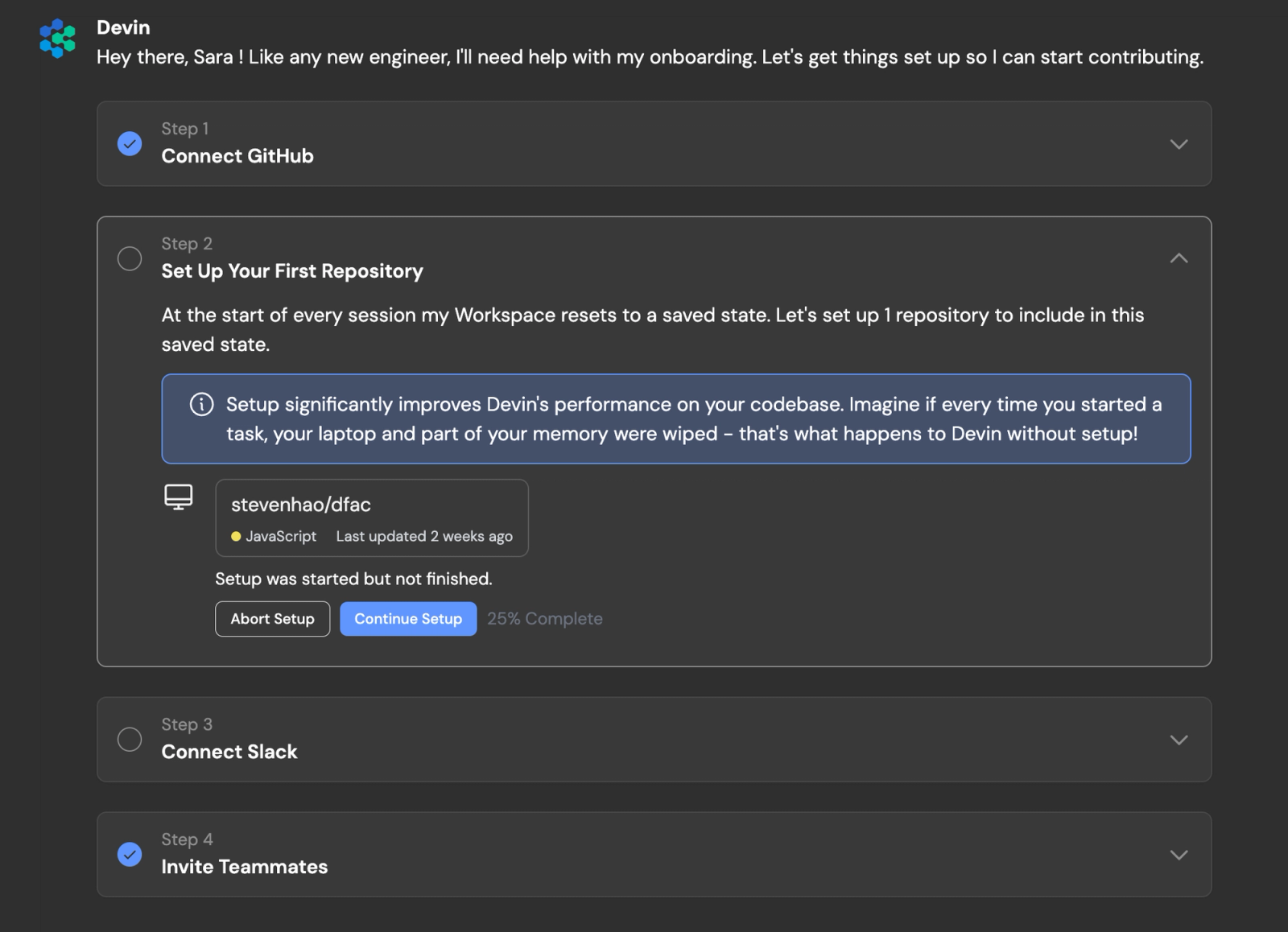
Devin requires onboarding in order to be successful, just like any new human engineer on their first day.
Devin now guides you through the onboarding it needs, including setting up Devin’s Workspace. Setting up Devin’s Workspace significantly improves Devin’s performance on your codebase. Imagine if every time you started a task, your laptop and part of your memory were wiped - that’s what happens to Devin without setup!
Behind the scenes, Devin’s Workspace resets to a saved machine state at the start of every session. By default this machine state includes all the repositories you’ve added and set up at preview.devin.ai/workspace. Learn more in our docs.
Devin is now faster!#
Speed has improved at every level — from time to first action, to the speed of navigating our web application. Time to create a Snapshot of Devin's machine has been reduced from ~30 minutes to ~15 seconds and time to first message has been reduced from ~25 seconds to ~10 seconds.
Devin for Enterprises#
Enterprise users now have more options to configure Devin to meet your organization’s needs, including:
- Single sign-on with Okta
- Auto-Join for Company Domains: Allow any user with a company email to join Devin without individual invites
- Customized Onboarding: Tailor example sessions and suggested prompts to guide your organization’s users to Devin’s most valuable use cases
- Usage Insights: Automated email alerts to track your usage over time
Hire Devin#
We are working hard to scale up access to Devin, and we continue to do weekly invite releases. To start using Devin for engineering work, join the waitlist or get in touch at info@cognition.ai.