Google Maps and Google Search now work together in the Gemini API
We just shipped something I've wanted for a while. You can now use the Google Maps and Google Search tools in the exact same call with Gemini 3.5 Flash and 3.6 Flash. You can also add custom functions or MCP servers into the same request via Tool Combination.
How the tools fit together#
Building location apps usually means juggling web context and physical data yourself. You'd write separate LLM calls, parse messy JSON, and glue external APIs together.
Now Gemini handles the whole loop in one interaction:
- Google Search: finds live web info (tonight's concerts, recent food blogs, pop-up events).
- Google Maps: pulls physical details (exact coordinates, current opening hours, ratings, place IDs).
- Custom tools & MCP: runs your app logic (reserving a table, adding to calendar, saving to a database).
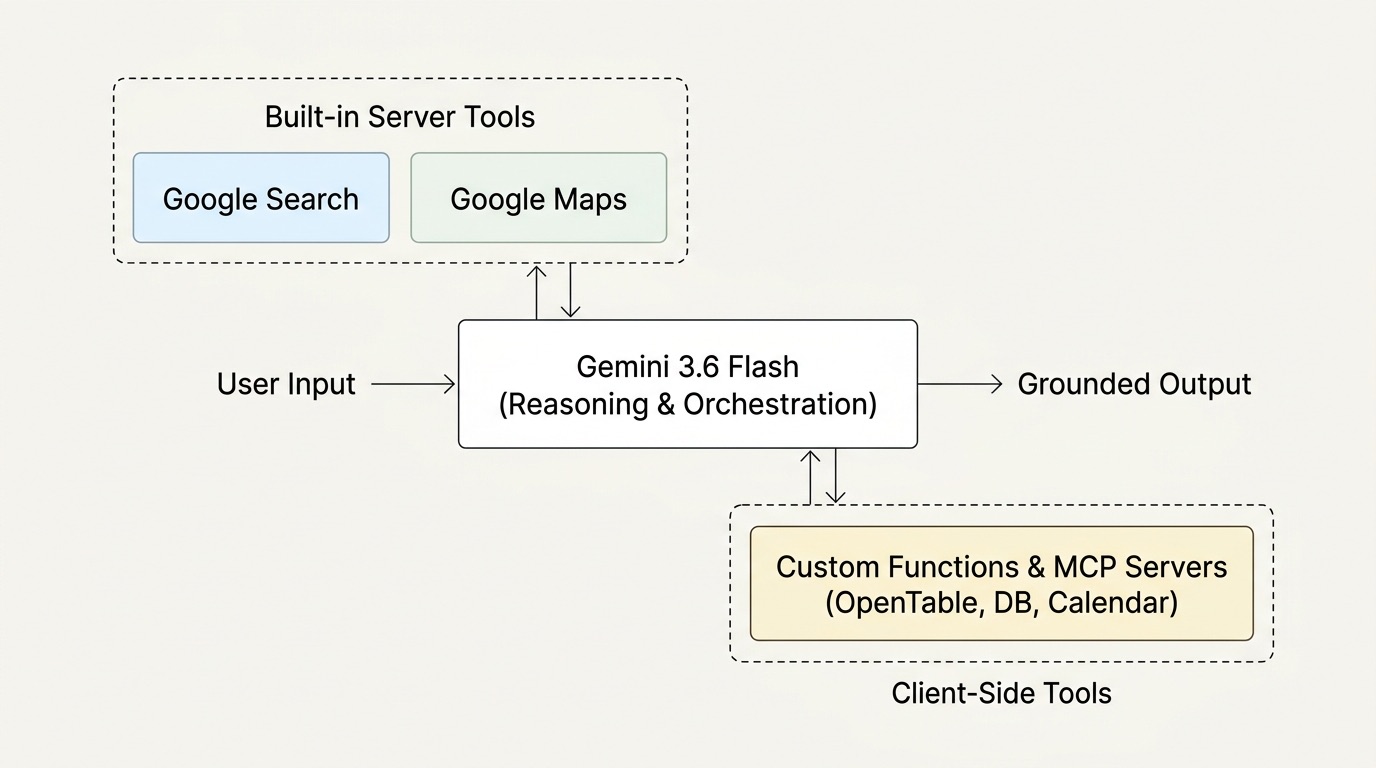
When Gemini finds a venue on the web, it queries Maps for the exact place details, then hands structured parameters to your function call. Zero roundtrips on your side.
The JavaScript snippet#
Here is how you set it up with the Interactions API using @google/genai:
JavaScript
;
const ai = ;
const bookTableTool = ;
const interaction = await ai..;
Running it in an app#
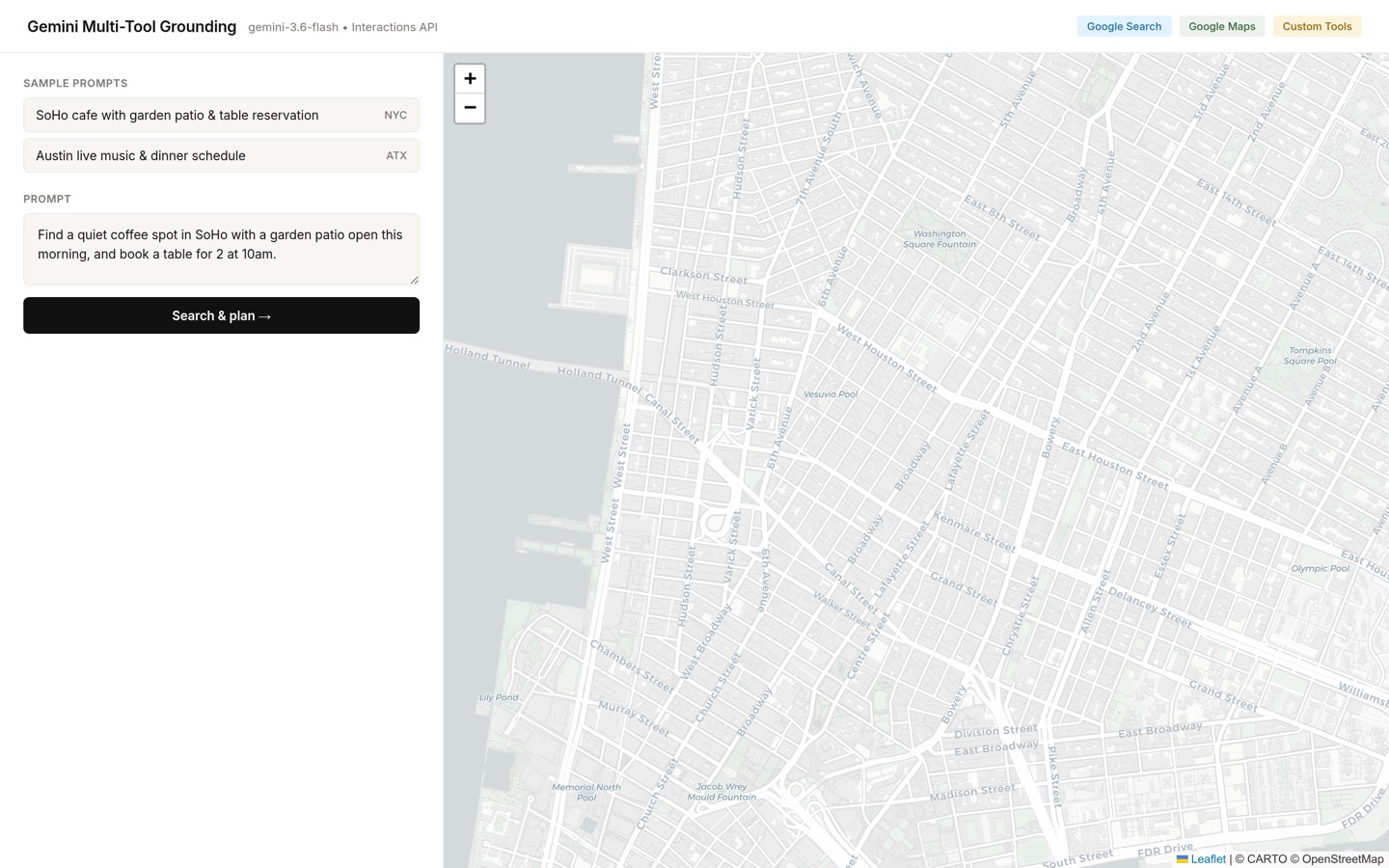
I put together a quick app to test the flow end-to-end.
You start with a prompt:
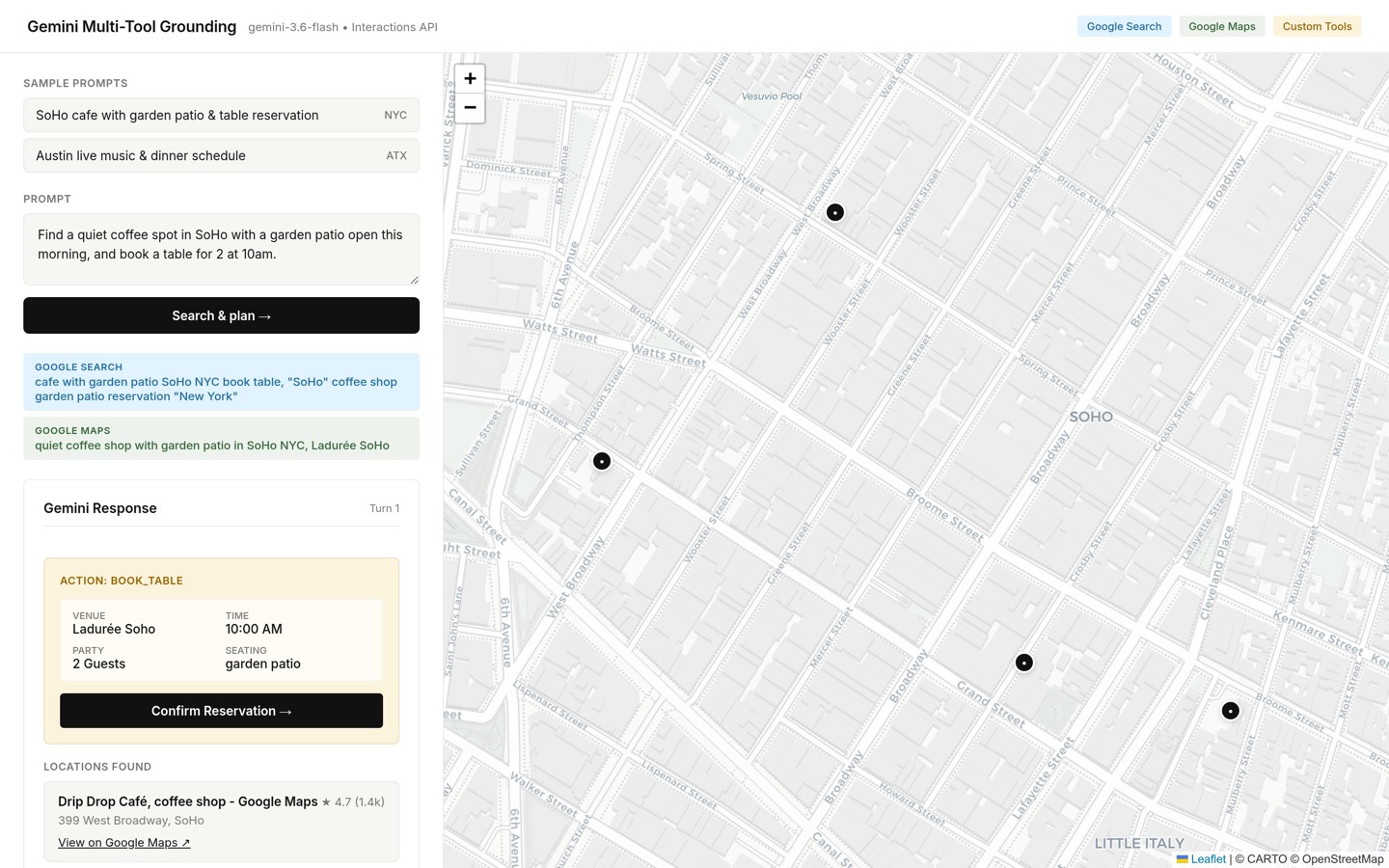
In one turn, Gemini searches the web for patio spots in SoHo, verifies the venues on Google Maps, drops pins on the map, and prepares the reservation action:
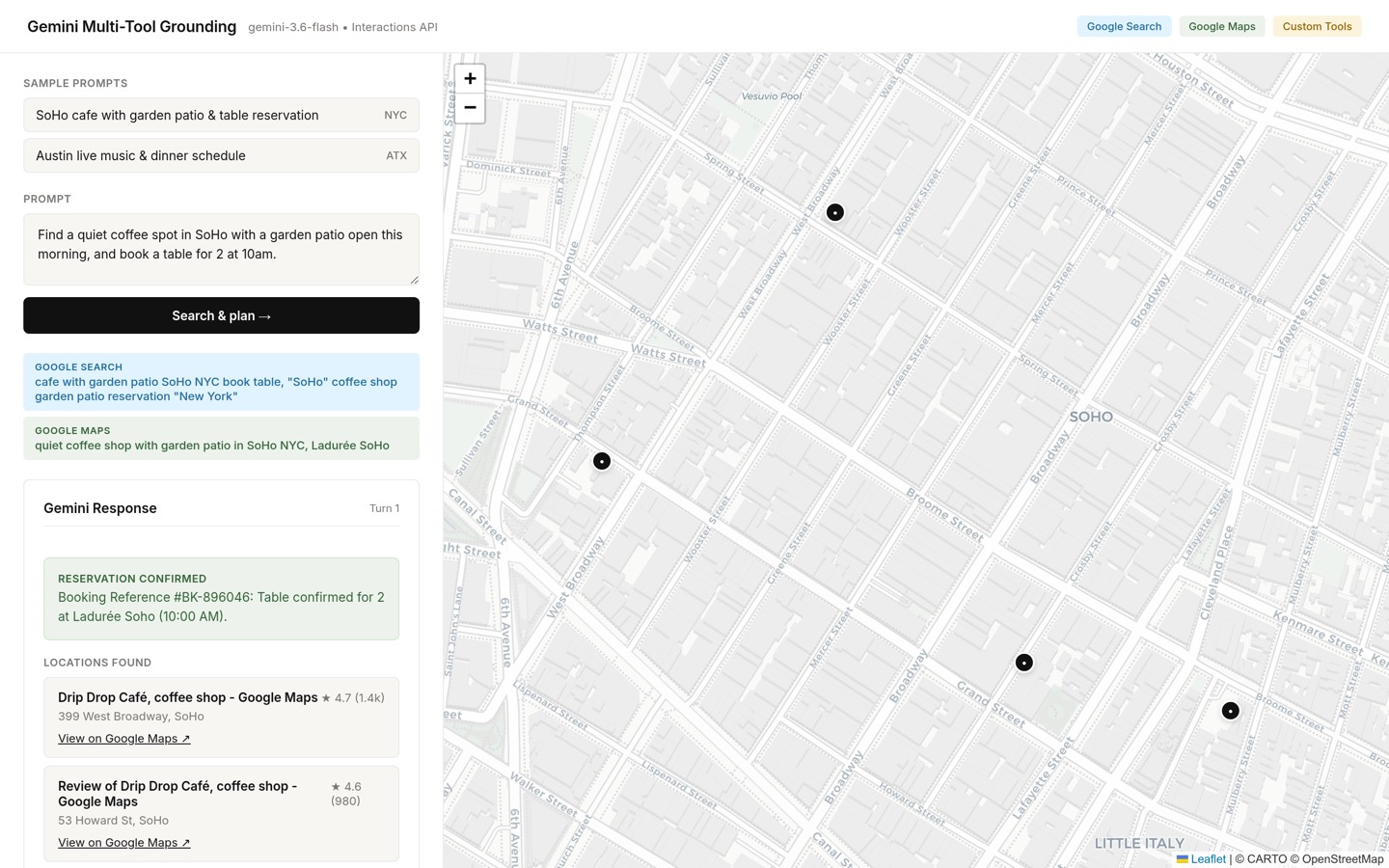
When the user clicks confirm, your app calls your real reservation service, gets a reference ID, and hands that result back to Gemini in turn 2 using previous_interaction_id:
JavaScript
// 1. Execute the actual booking in your backend
const bookingResult = await reservationService.;
// 2. Send the result back to Gemini to finish the interaction
const finalInteraction = await ai..;
The server keeps the whole grounding context and conversation state alive without you having to re-send token histories:
Using OpenTable via MCP#
Instead of writing custom booking functions by hand, you can plug in an existing OpenTable MCP server directly:
JavaScript
const interaction = await ai..;
Gemini finds the restaurant through Search, checks reviews and coordinates on Maps, and handles the live reservation through OpenTable's MCP server in the background.
Why this is fun#
Having Search, Maps, and MCP together cuts out a lot of boilerplate. You don't have to extract keywords, call Places APIs, and re-prompt to figure out the next step.
Check out the docs for Tool Combination, Maps Grounding, and the Interactions API Quickstart to try it out.