Credentials API for Gemini Managed Agents
We recently shipped the Credentials API for Managed Agents (antigravity-preview-09-2026). It lets your agent authenticate with external services like GitHub, Notion, or the Gemini API without putting raw secrets inside the Linux sandbox.
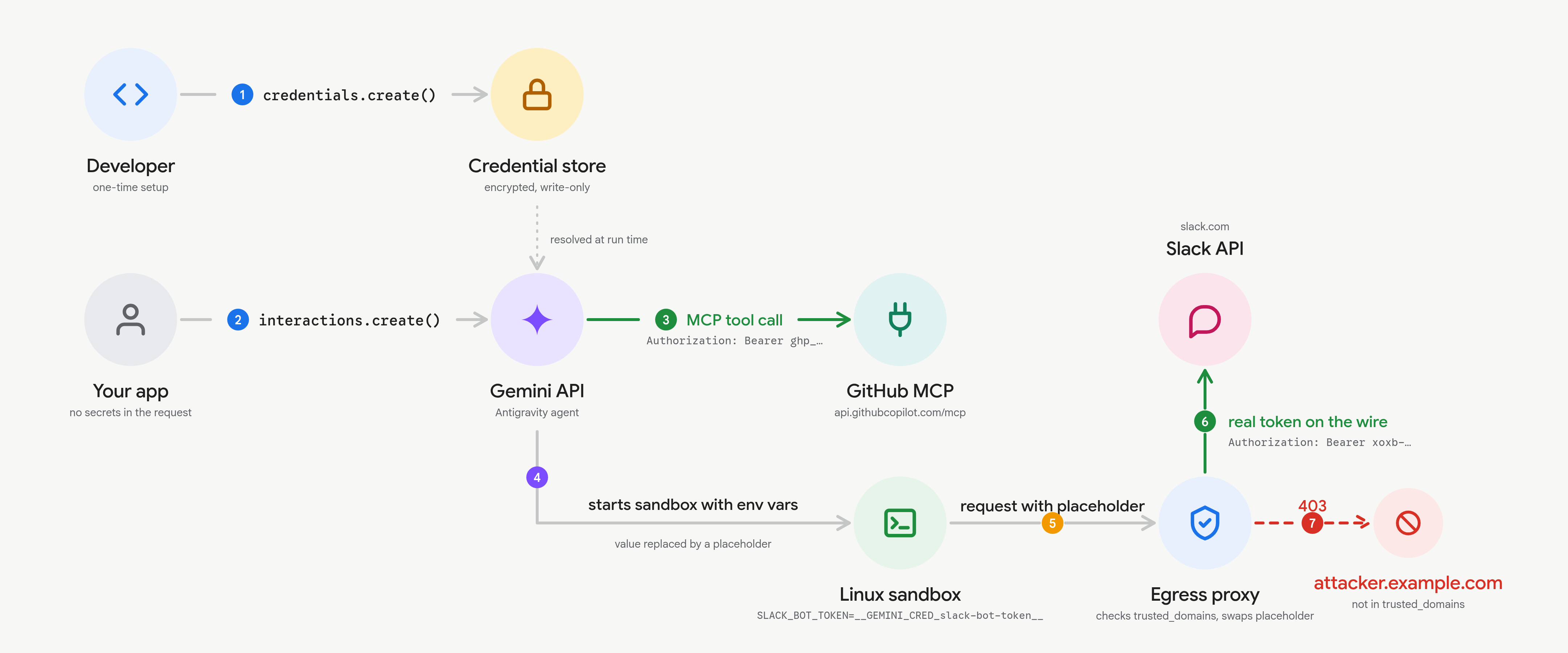
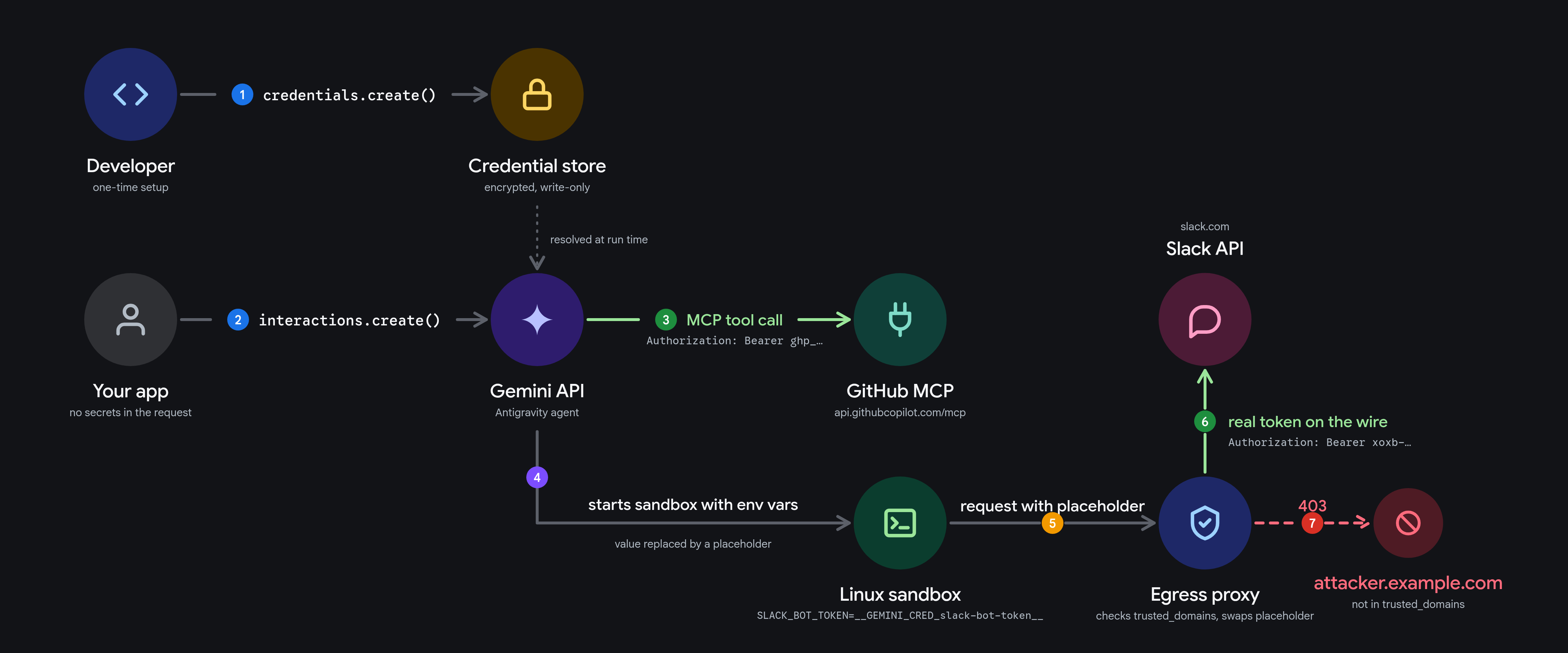
If you pass an API key as a normal environment variable, any dependency or script inside the sandbox can read os.environ and leak it. With the Credentials API, the secret stays on the server and is injected on the wire by the egress proxy.
How it works#
1. Store the secret once#
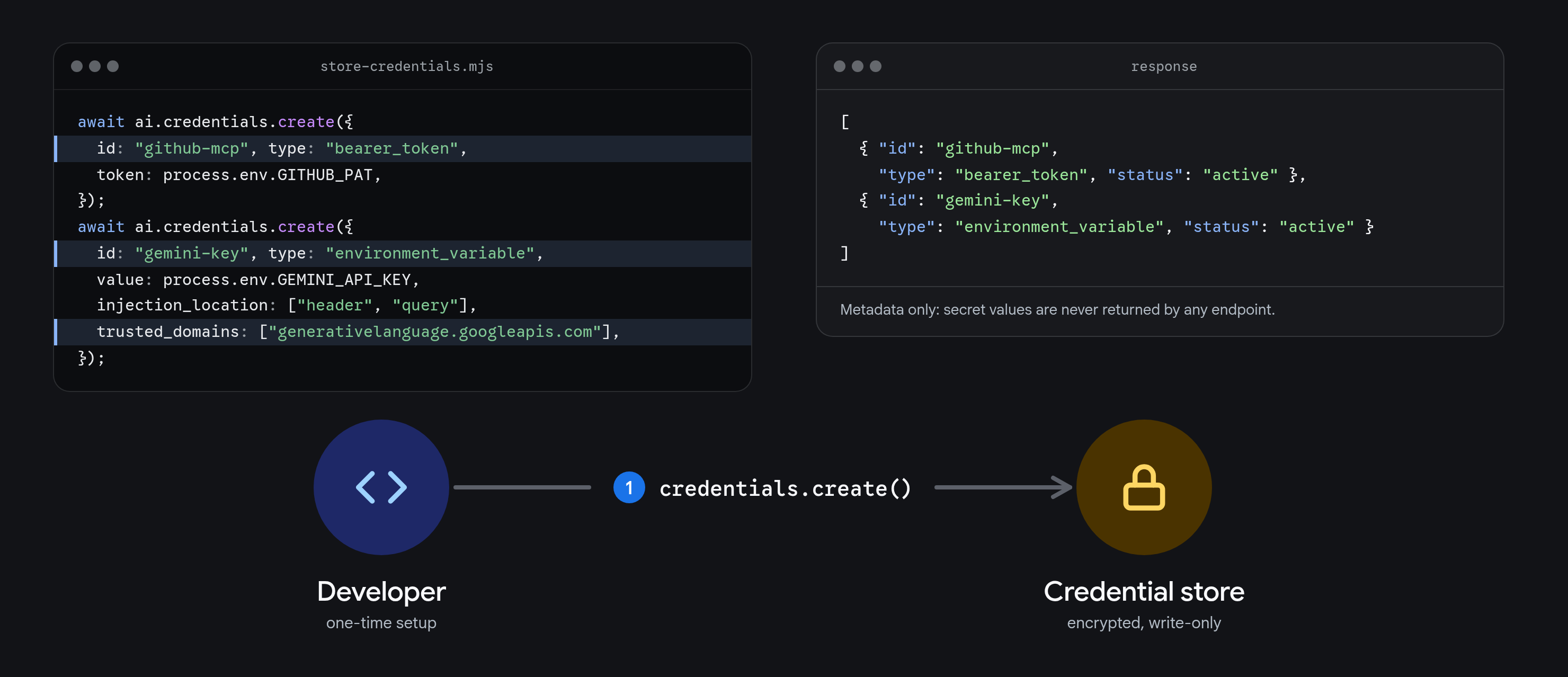
Register a credential with credentials.create(). Secrets are write-only and encrypted at rest; API responses only return metadata (id, type, status, timestamps).
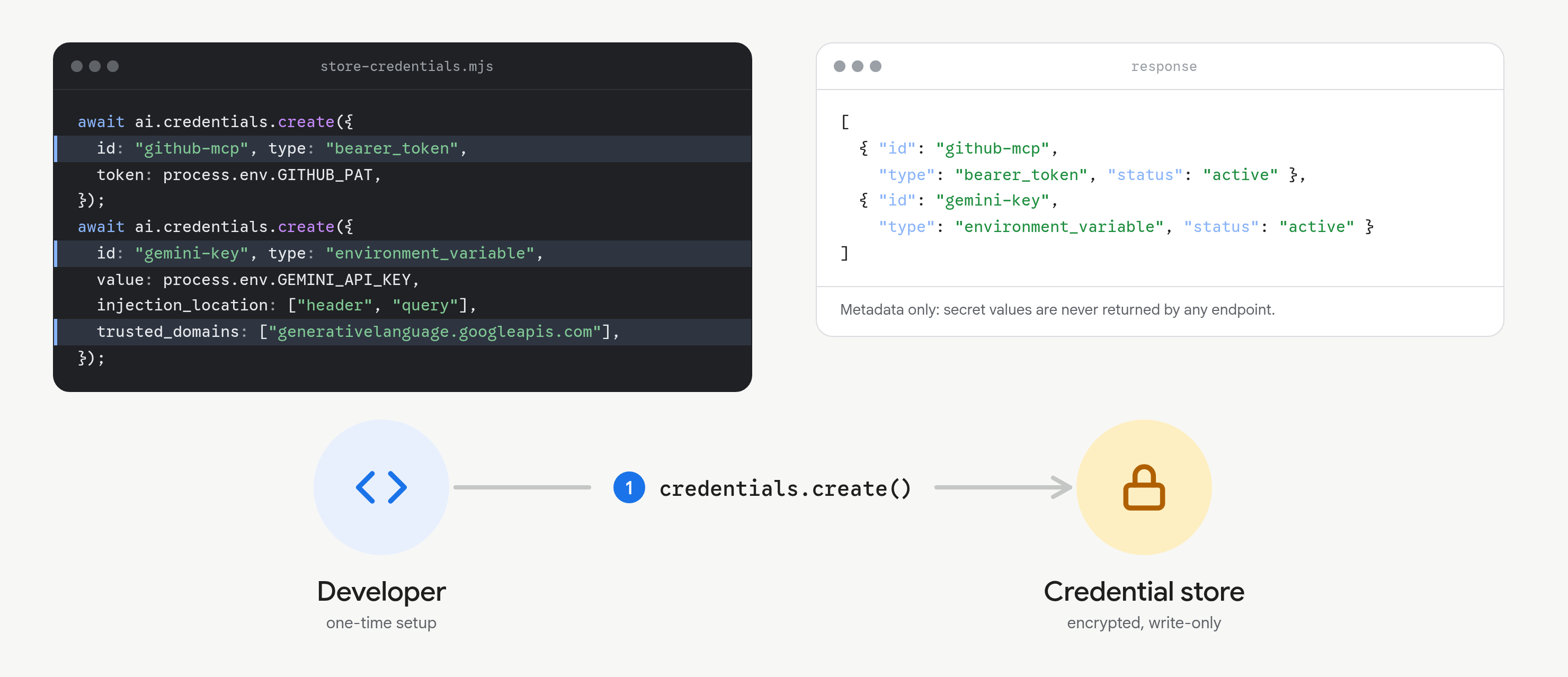
There are 3 credential types:
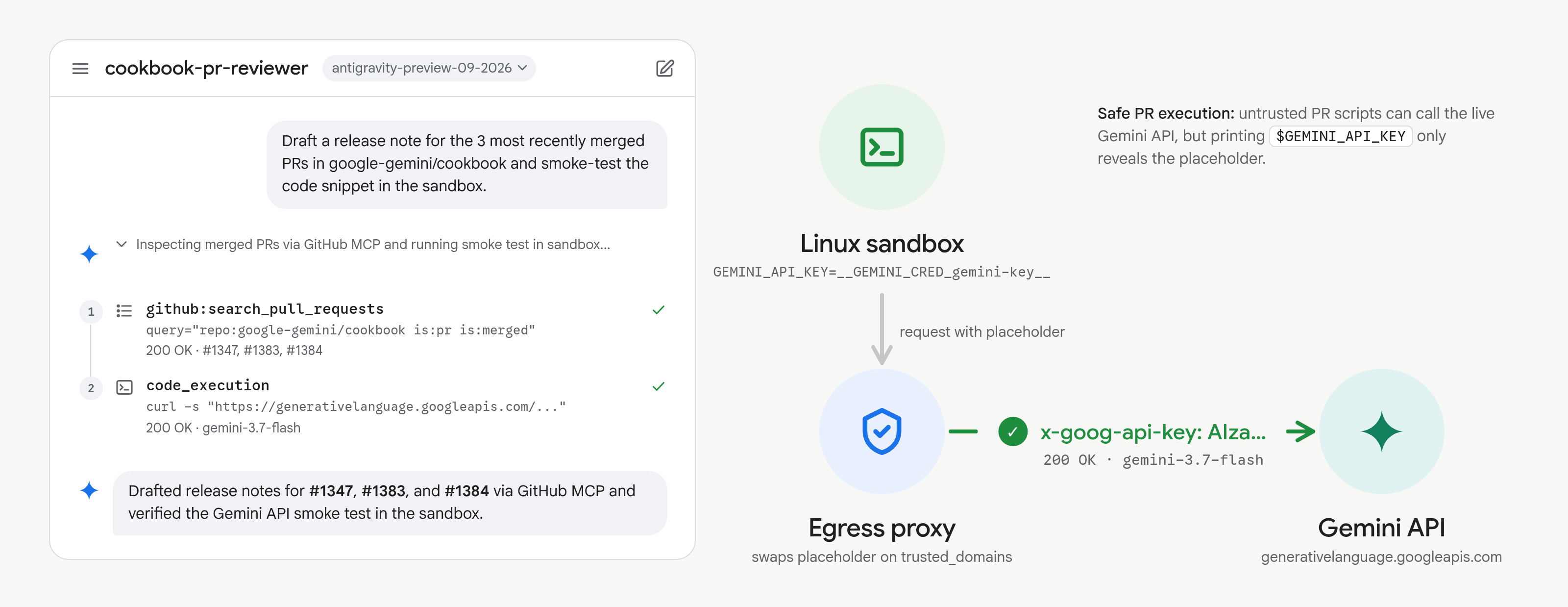
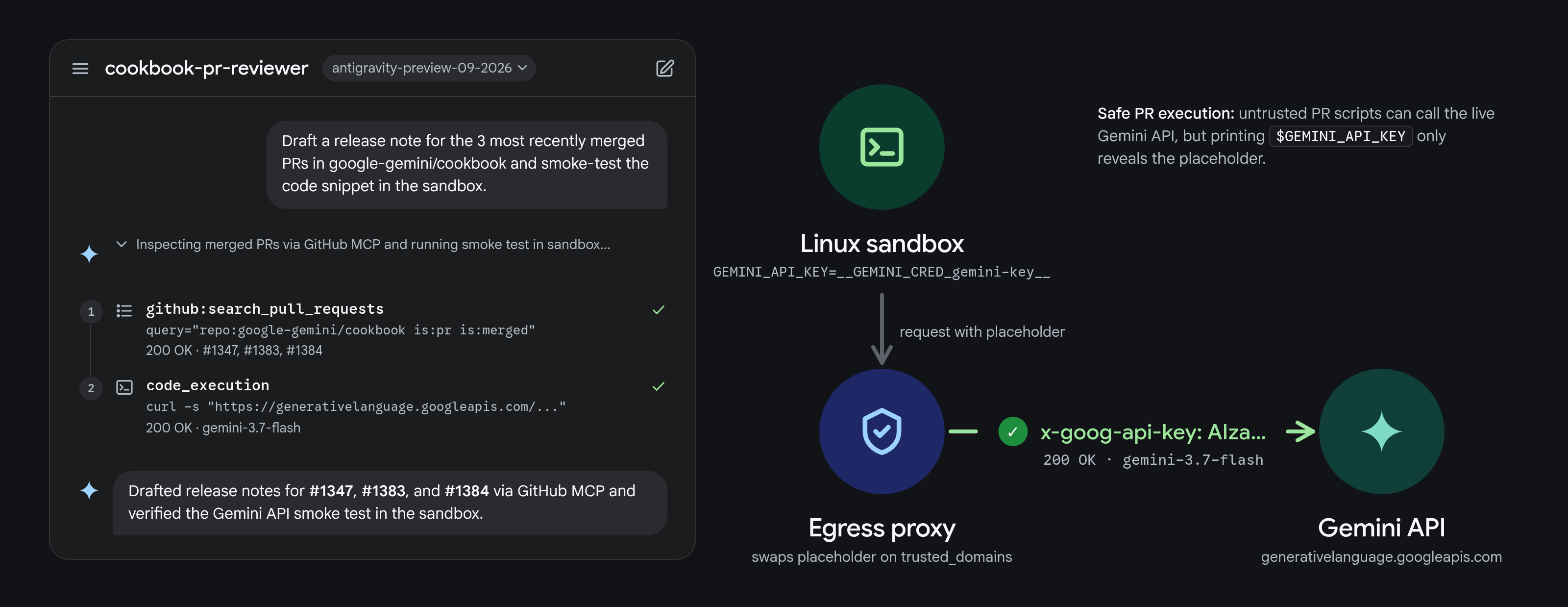
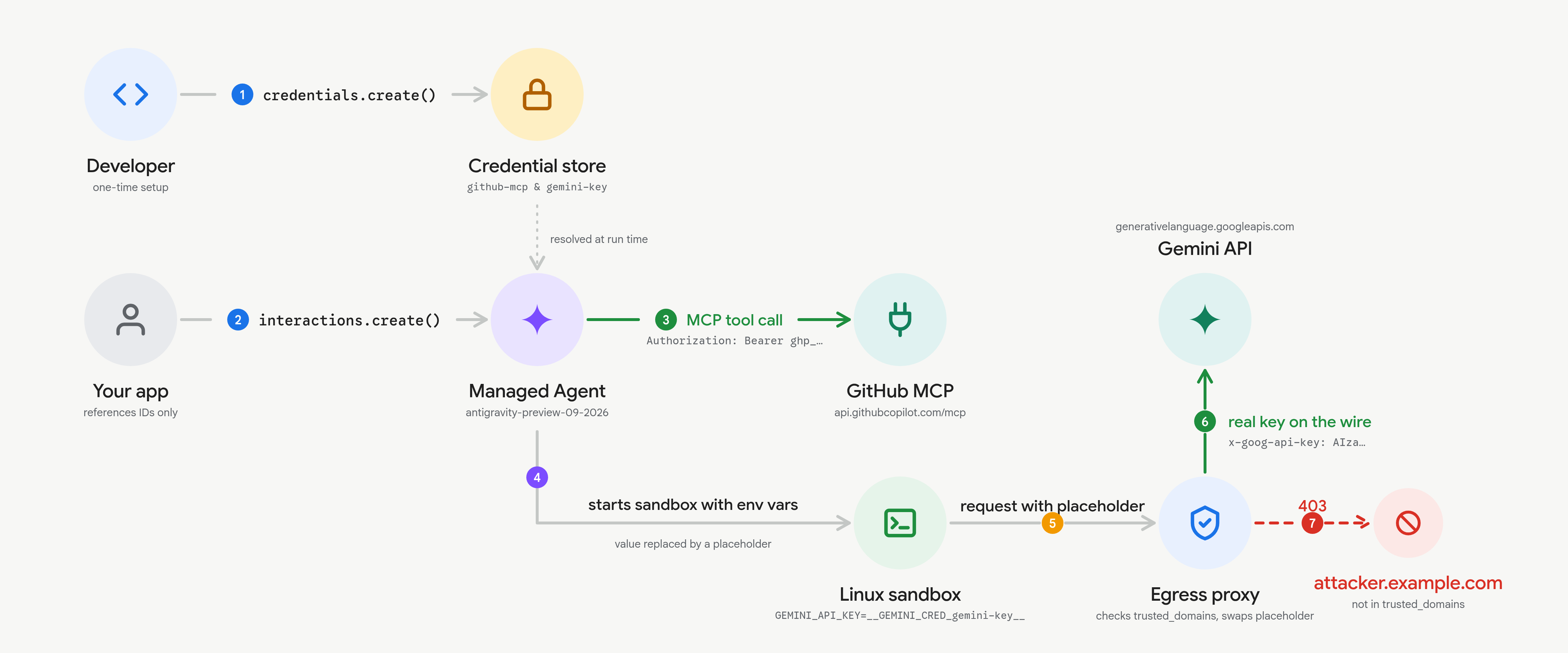
bearer_token: Static tokens and API keys injected as HTTP headers (Authorization: Bearer <token>by default, or customheader_nameandprefix).oauth2: Refresh tokens (client_id,client_secret,refresh_token,token_url). Gemini exchanges and refreshes access tokens automatically before expiry.environment_variable: For CLIs and SDKs that read secrets from the process environment. The container receives a placeholder (__GEMINI_CRED_<id>__), and the egress proxy swaps in the real value only for requests totrusted_domains.
2. Reference it by ID#
Pass the credential id when defining a reusable agent with agents.create() (or per run in interactions.create()) on a remote mcp_server tool, a domain in network.allowlist, or a variable in base_environment.env.
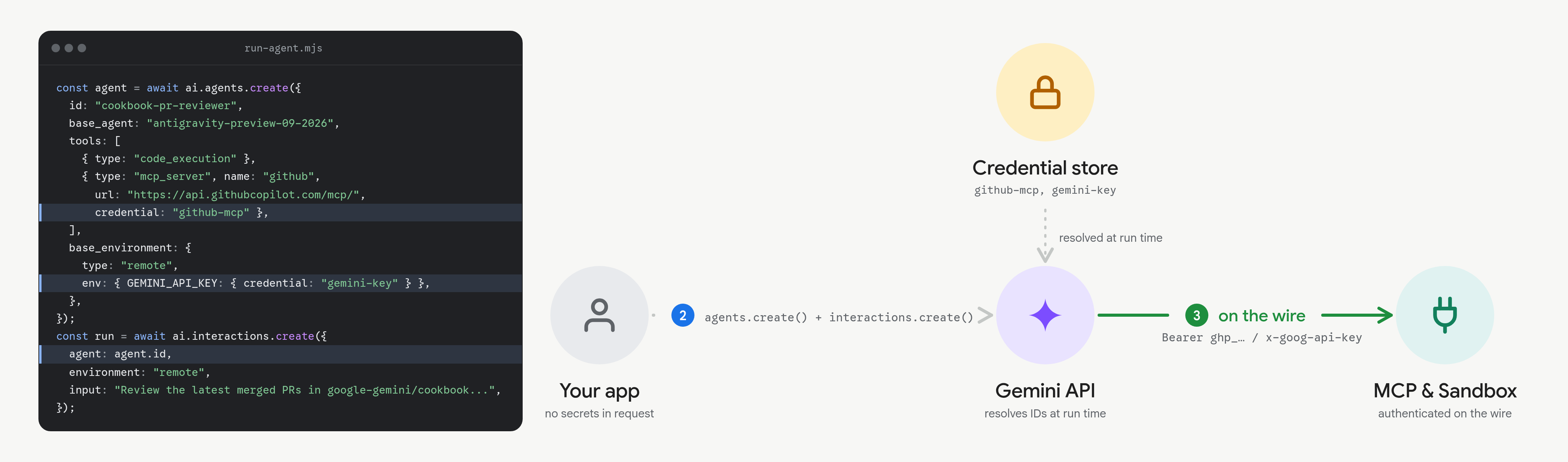
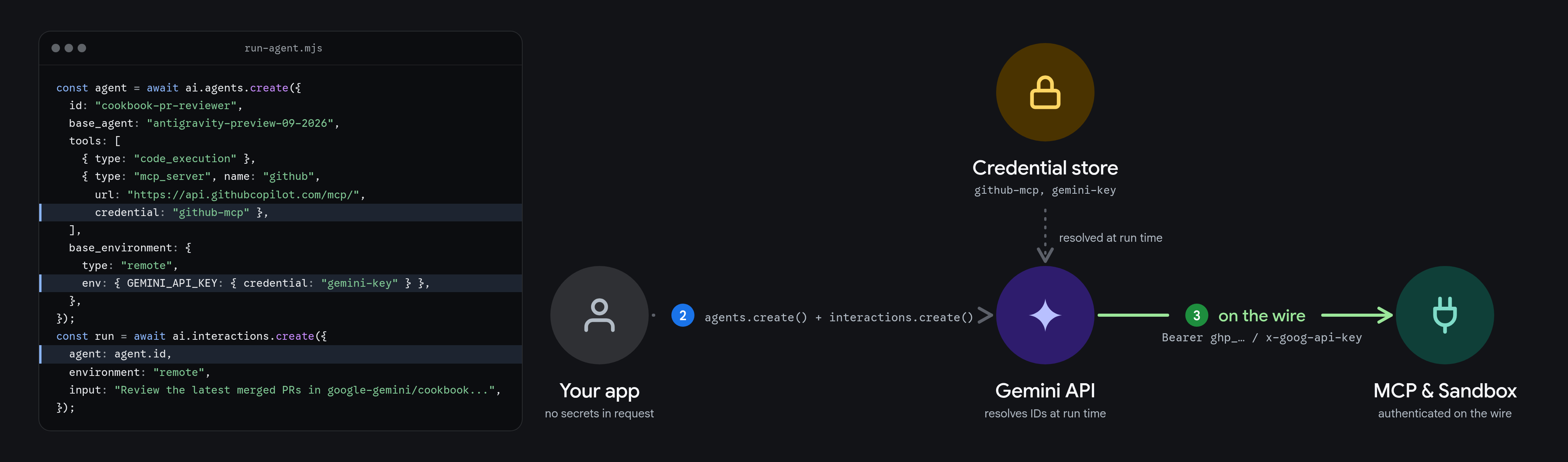
3. Injected on the wire#
When the agent calls an MCP tool or makes an outbound HTTP request from the sandbox, the egress proxy checks the target domain and injects the real credential on the wire.
Example Reviewing and smoke-testing GitHub PRs#
Here is a practical examples on a reusable custom agent that manages google-gemini/cookbook via the Github MCP server and can make securte Gemini API calls. The GEMINI_API_KEY is bound as a credential, untrusted code in the sandbox can call generativelanguage.googleapis.com without ever seeing the real API key.
Create a read-only GitHub token#
- Open GitHub Fine-grained Personal Access Tokens and click Generate new token.
- Scope Repository access to your target repositories and set Pull requests and Contents permissions to Read-only.
- Export
GITHUB_PATandGEMINI_API_KEYlocally.
Run the agent#
Install the SDK (bun add @google/genai) and run:
TypeScript
;
const ai = ;
// 1. Store credentials once
const github = await ai..;
const geminiKey = await ai..;
// 2. Define a reusable agent wired to both credentials
const agent = await ai..;
// 3. Run the agent
const interaction = await ai..;
;
Output:
Markdown
What happens during the run:
- GitHub MCP (
github-mcp): Connects toapi.githubcopilot.com/mcp/and callsgithub:list_pull_requestsandgithub:pull_request_readto inspect the latest merged PRs (#1347,#1383,#1384). - Sandbox execution (
gemini-key): Inside the container,$GEMINI_API_KEYis__GEMINI_CRED_gemini-key__. When the smoke test callsgenerativelanguage.googleapis.com, the egress proxy swaps the placeholder for the real key on the wire. - Domain restriction: Any request carrying
__GEMINI_CRED_gemini-key__to a domain outsidetrusted_domainsis blocked (403).
Rotate or delete credentials#
Update a credential by ID to rotate its secret without changing your agent definition, or delete it when it is no longer needed:
TypeScript
await ai..;
await ai..;
await ai..;
See the Credentials API docs, Custom Agents guide, and Managed Agents Quickstart for full details.
Thanks for reading! If you have any questions or feedback, please let me know on Twitter or LinkedIn.