The Agent Client Protocol Overview
With the explosion of AI coding agents—Claude Code, Gemini CLI, OpenCode, Goose, Codex CLI, we've entered an era where every major AI lab ships their own terminal-based coding assistant. But there is one problem. Each agent has its own events or outputs.
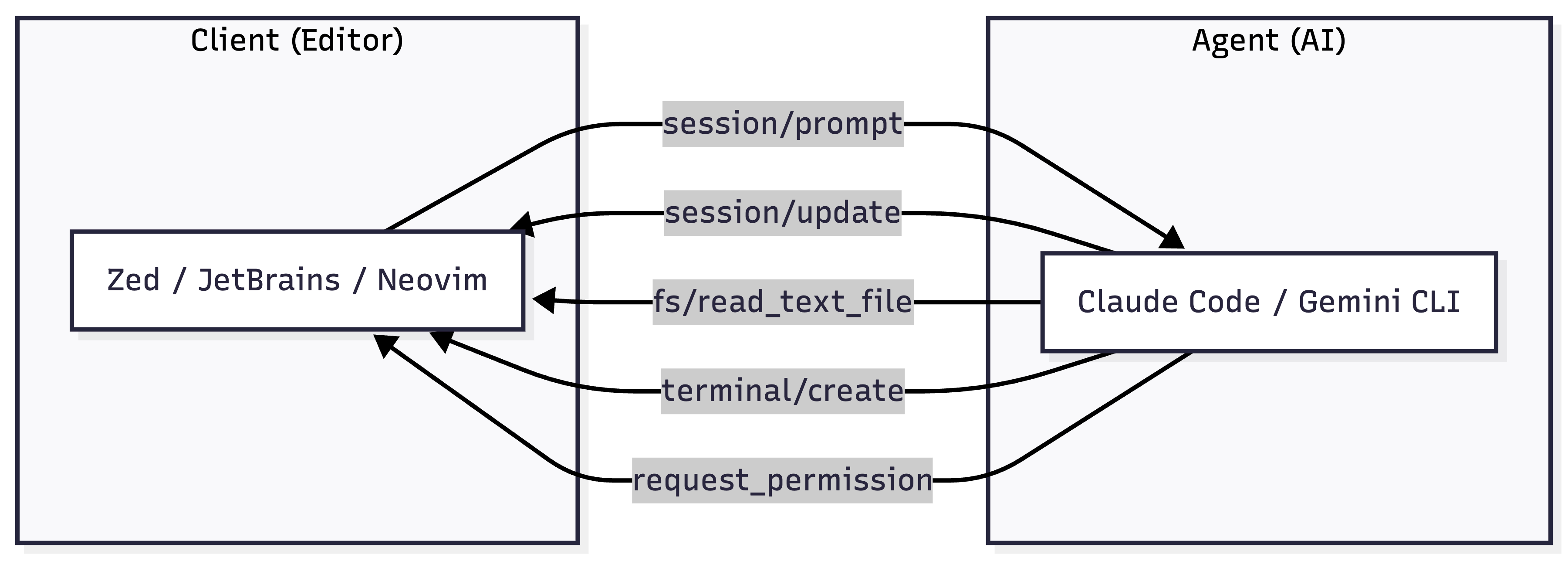
The Agent Client Protocol (ACP) is an an open standard abstracts the events and outputs of AI agents and provides a common interface for editors to interact with them. Similar to MCP but for agent to client (UI) communication.
ACP is a JSON-RPC 2.0 protocol with a simple premise:
- Clients (editors like Zed, JetBrains or Obsidian) manage the user environment
- Agents (Claude Code, Gemini CLI, OpenClaw (prev. Clawdbot)) Thinking and tool execution
- They communicate over stdio (agent runs as subprocess) or HTTP (remote agents)
Protocol Events#
| Method | Direction | Purpose |
|---|---|---|
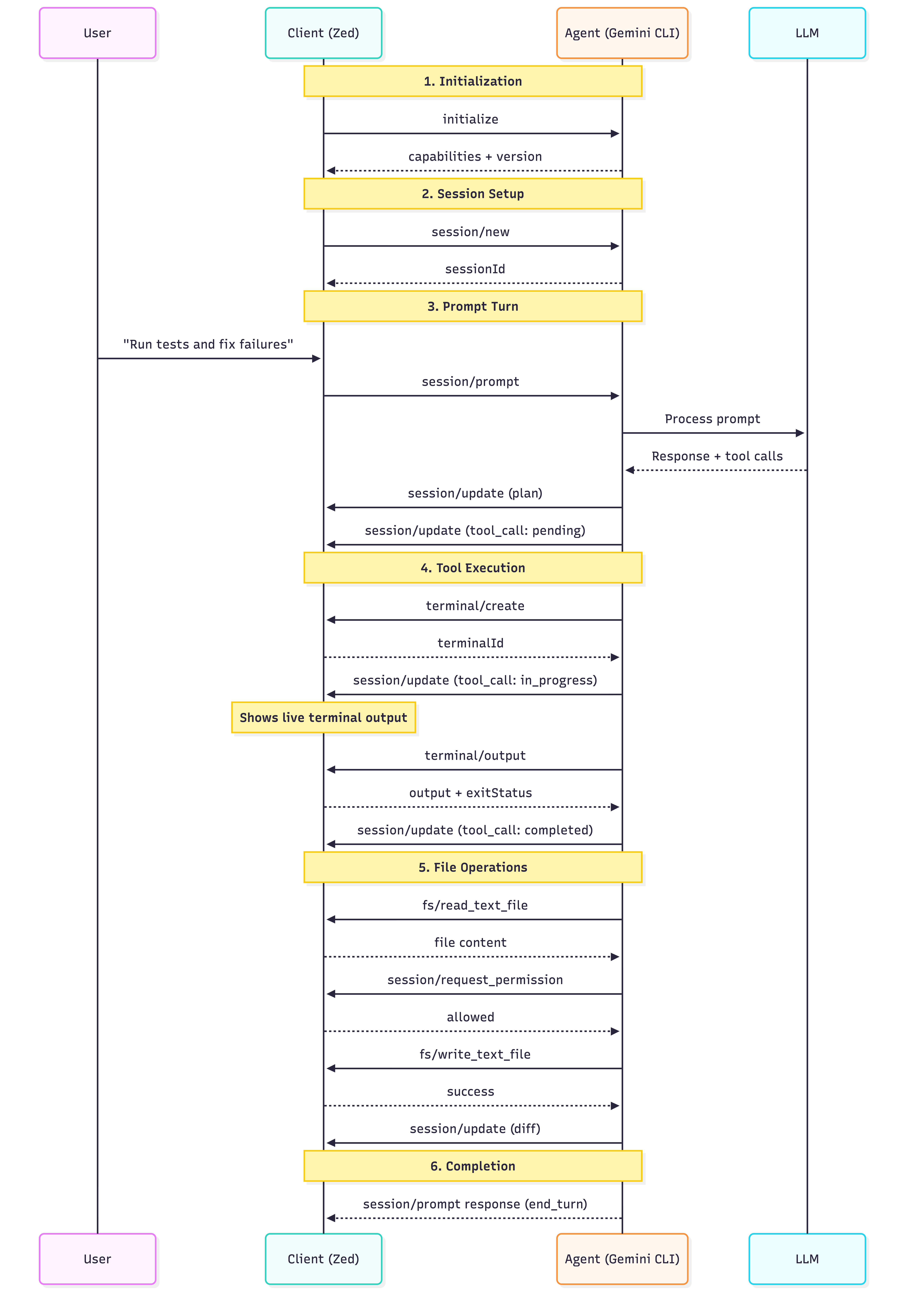
initialize |
Client → Agent | Negotiate protocol version & capabilities |
session/new |
Client → Agent | Create new conversation session |
session/load |
Client → Agent | Resume existing session |
session/prompt |
Client → Agent | Send user message |
session/set_mode |
Client → Agent | Switch agent operating mode |
fs/read_text_file |
Agent → Client | Read file (includes unsaved edits) |
fs/write_text_file |
Agent → Client | Write/create file |
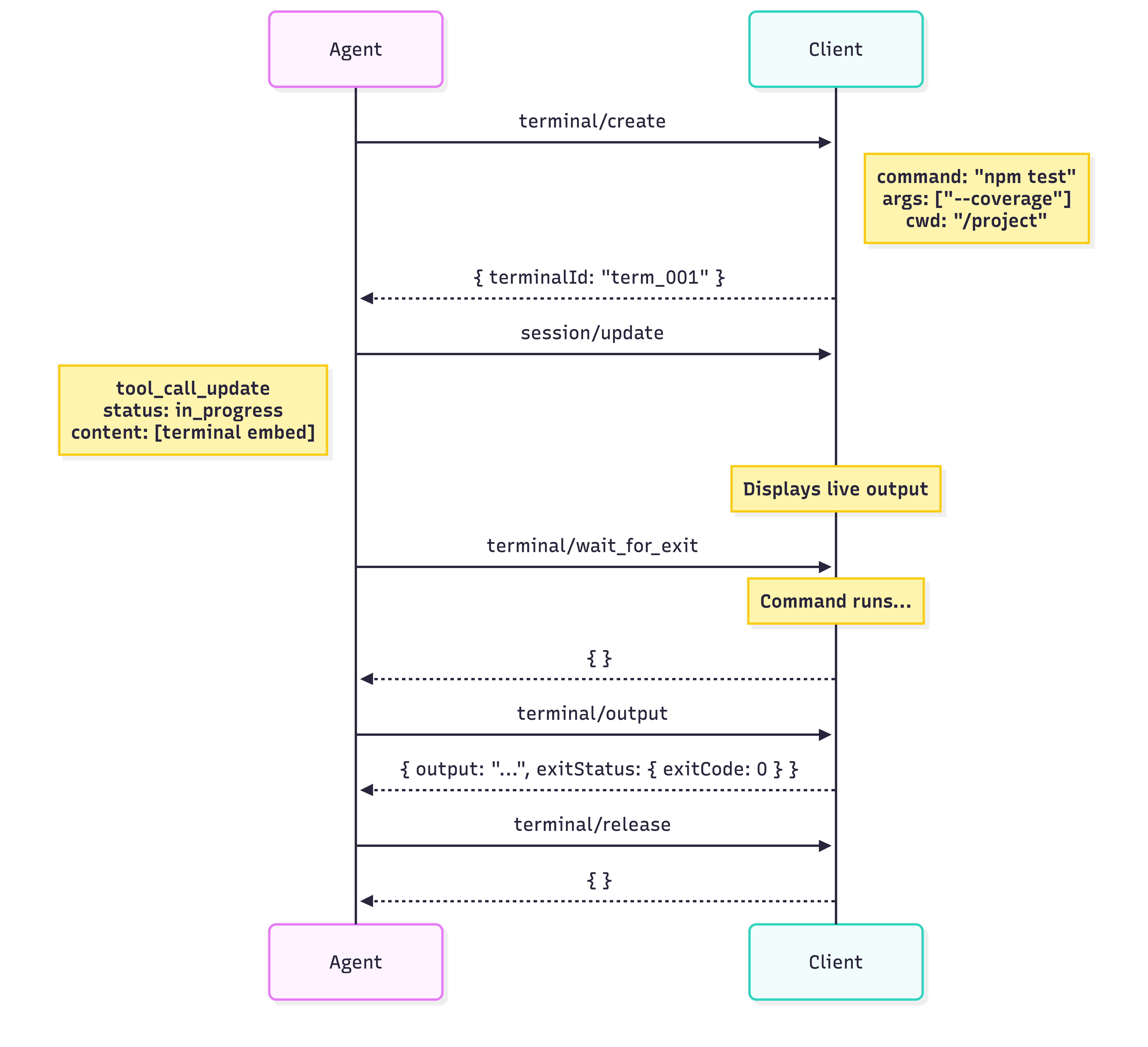
terminal/create |
Agent → Client | Start shell command |
terminal/output |
Agent → Client | Get command output |
terminal/wait_for_exit |
Agent → Client | Wait for command completion |
terminal/kill |
Agent → Client | Terminate running command |
terminal/release |
Agent → Client | Clean up terminal |
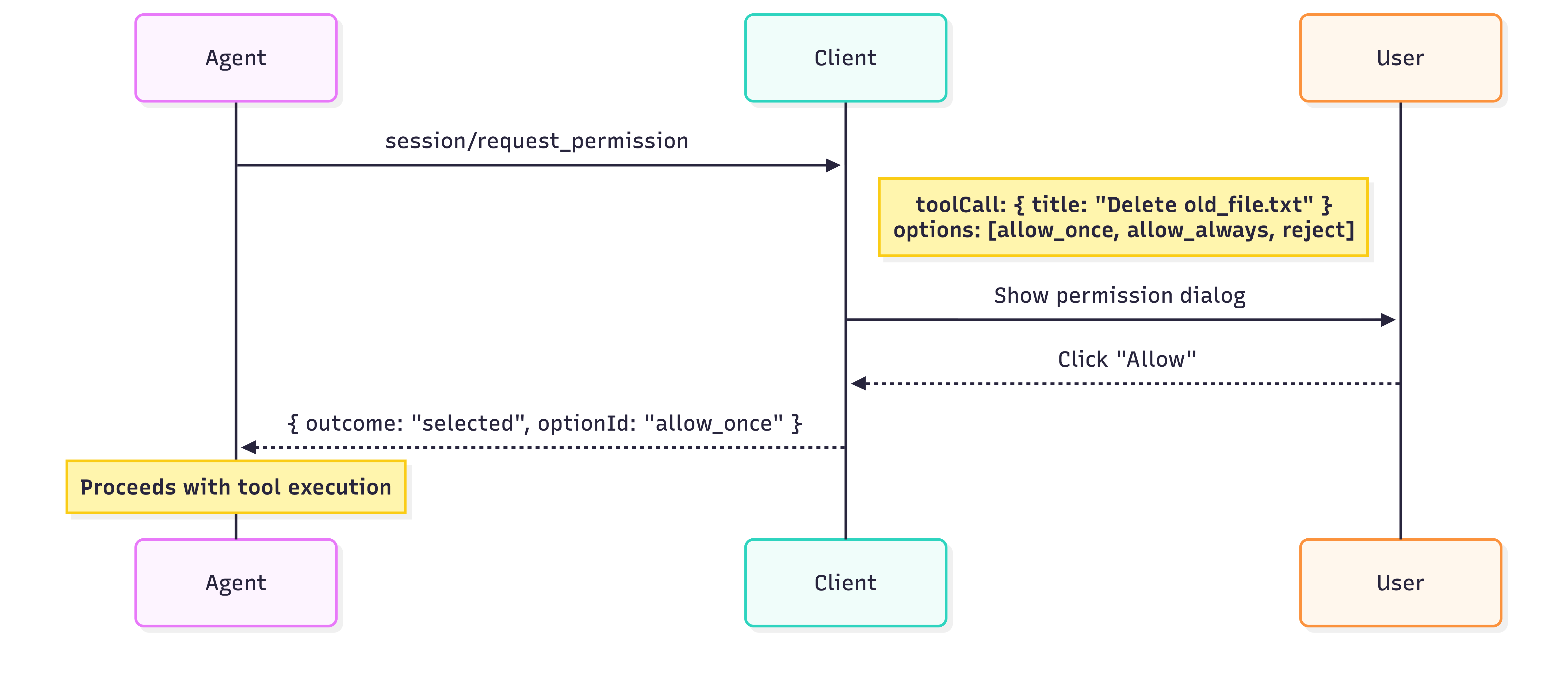
session/request_permission |
Agent → Client | Request user approval for action |
Notifications (One-Way)#
| Notification | Direction | Purpose |
|---|---|---|
session/update |
Agent → Client | Stream progress, messages, tool calls |
session/cancel |
Client → Agent | Abort current operation |
Session Update Types#
| Update Type | Description | Content |
|---|---|---|
plan |
Agent's execution plan | List of steps with status |
agent_message_chunk |
Streamed text response | Text content block |
user_message_chunk |
Echo of user input | Text content block |
thought_message_chunk |
Agent's reasoning | Text content block |
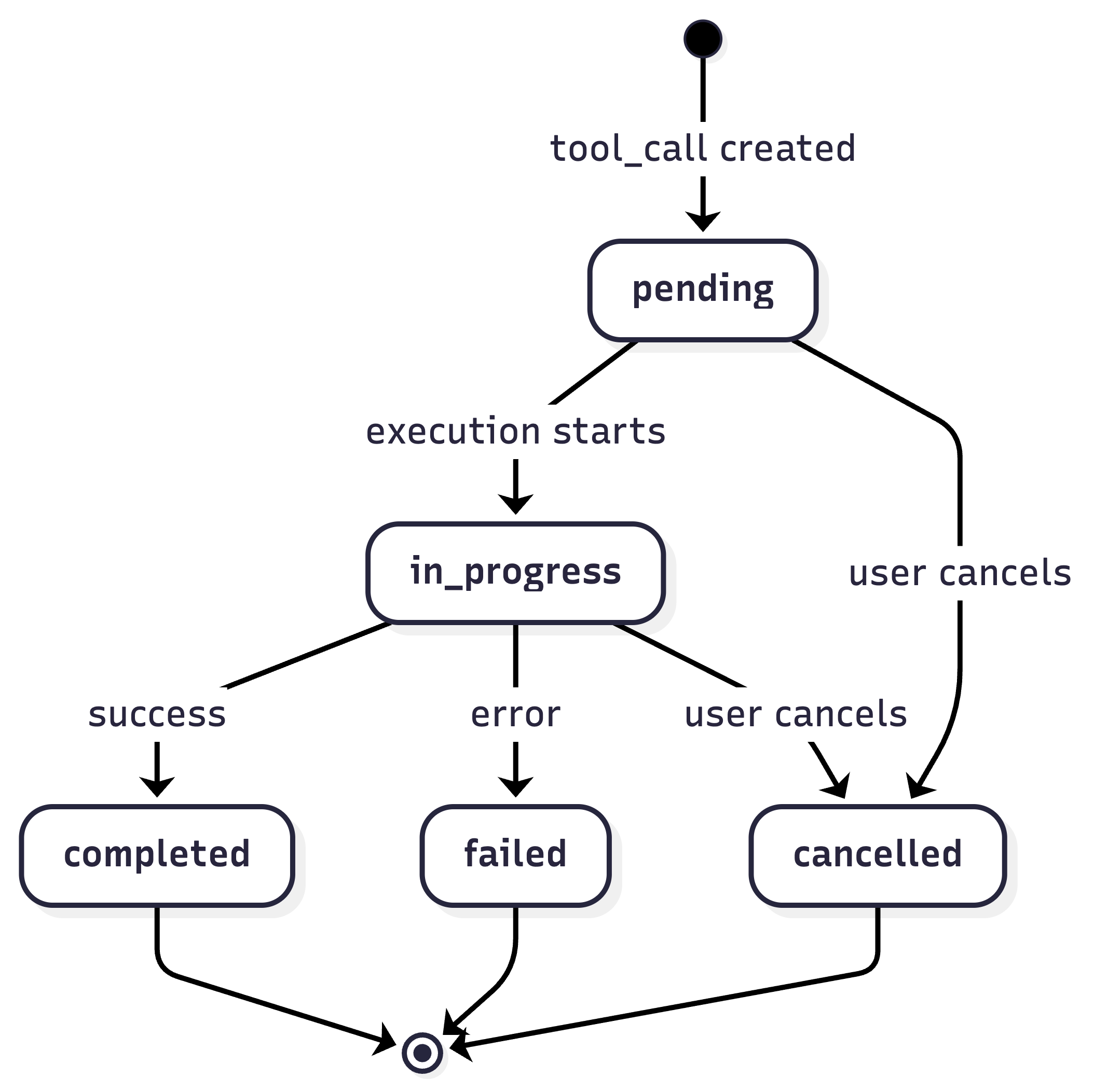
tool_call |
New tool invocation | ID, title, kind, status |
tool_call_update |
Tool progress/result | Status change, content |
available_commands |
Slash commands | List of available commands |
mode_change |
Mode switch | New mode info |
Tool Call Status Flow#
Protocol Flow#
Complete Lifecycle#
Terminal Execution Flow#
Permission Request Flow#