Keyboard shortcuts

Scrolling

dorCtrl+d
Scroll down
uorCtrl+u
Scroll up
Ctrl+e
One line down
Ctrl+y
One line up
gtheng
Top of article
G
Bottom of article

Articles

j
Older article
k
Newer article
O
Open original
H
Open hackernews
R
Open reddit

Lists

jor↓
Next item
kor↑
Previous item
gtheng
First item
G
Last item
oorEnter
Open selected item

Go to

gthenforgtheni
Feed
gthen1–9
Open feed entry
gthenb
Browse
gthenp
Preferences

Search and help

⌘+kCtrl+kor/
Global search
?
Show this help
Esc
Close this help

web-edit 0.1a0

I was working on a project from my phone using Codex Remote when I found myself wanting to edit a credentials file without round-tripping those credentials through the LLM itself.

So... I had Codex and GPT-6 Astra Extra High build this Python web app which provides a web UI for viewing and editing files in a folder. It's intended to be run over Tailscale, so I can have an agent start this running and then edit files via my Tailscale network directly from my phone.

Here's the interface for browsing files in a folder:
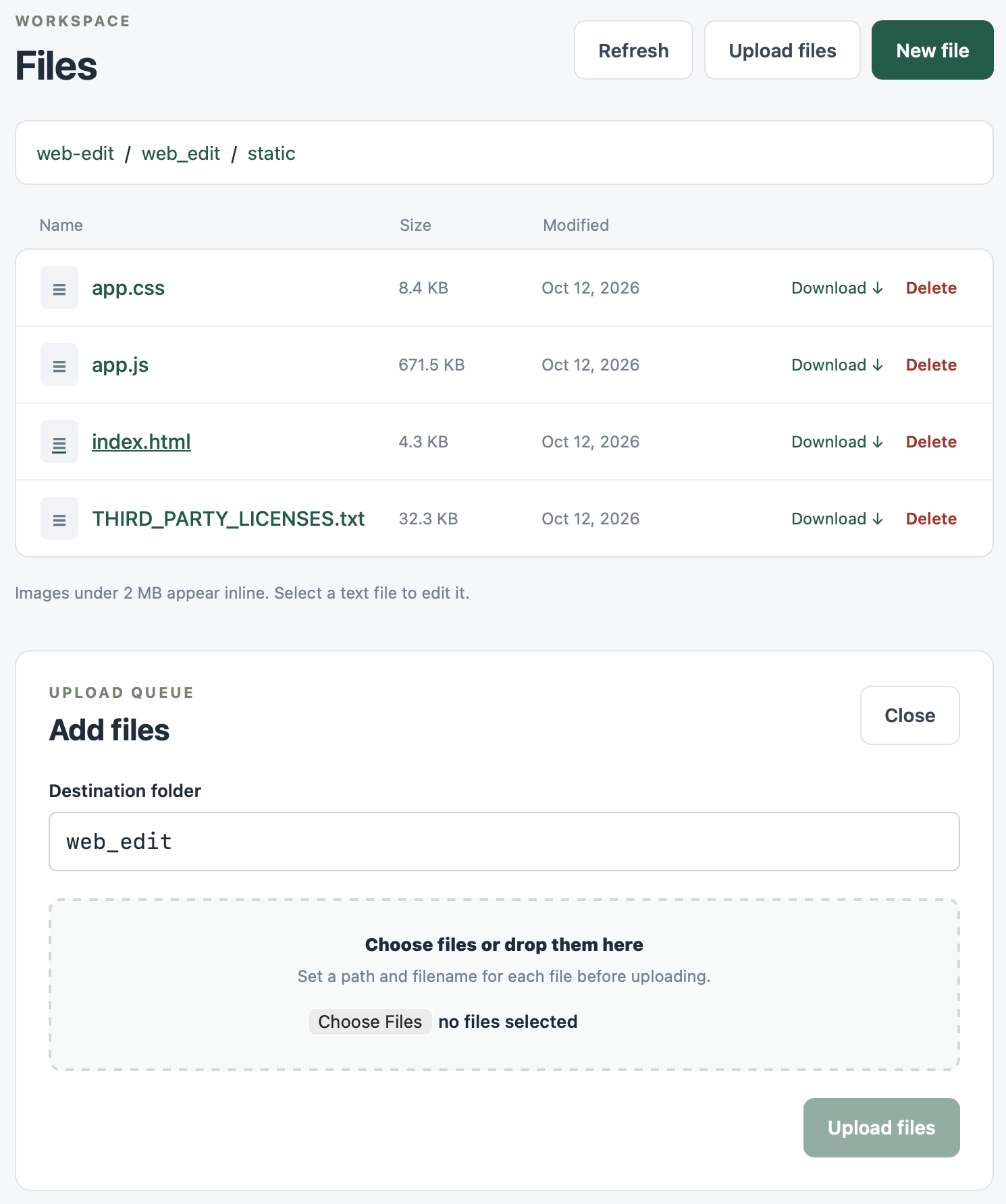
Screenshot of a web file manager interface. Header reads "WORKSPACE" above the title "Files", with buttons "Refresh", "Upload files" and "New file" (dark green). A breadcrumb shows "web-edit / web_edit / static". A table with columns "Name", "Size", "Modified" lists four files, each with "Download ↓" and "Delete" links: "app.css" 8.4 KB Oct 12, 2026; "app.js" 671.5 KB Oct 12, 2026; "index.html" 4.3 KB Oct 12, 2026 (underlined, as if hovered); "THIRD_PARTY_LICENSES.txt" 32.3 KB Oct 12, 2026. Below the table: "Images under 2 MB appear inline. Select a text file to edit it." A panel below is labelled "UPLOAD QUEUE" with heading "Add files" and a "Close" button. It has a "Destination folder" text field containing "web_edit", then a dashed drop zone reading "Choose files or drop them here" and "Set a path and filename for each file before uploading." with a "Choose Files" button and the text "no files selected". A greyed-out "Upload files" button sits at the bottom right.

Editing uses CodeMirror 6 - I was going to use Monaco but that still doesn't have a great mobile experience yet.