Developer Guide: Nano Banana 2 with the Gemini Interactions API
Nano Banana 2 (gemini-3.1-flash-image-preview) is our latest image generation model. It runs at Gemini Flash speed with the capabilities of Nano Banana Pro's world knowledge, precise text rendering, and subject consistency across up to 14 reference images. It comes with a new Grounding with Google Image Search feature that lets the model retrieve real images from the web and use them as visual context during generation.
This Developer Guide uses the Interactions API, our next-generation unified interface for Gemini, to build a personalized Japan travel brochure. In 4 code snippets, you'll go from a simple text prompt to a search-grounded, personalized image—compositing a real person into a photorealistic scene of Kyoto, informed by live Google Search results.
- Text → Image: Pure creative generation
- + Google Search (web): Real-world factual grounding
- + Google Search (web + images): Visual accuracy from retrieved images
- + Reference photo: Subject-consistent personalization
Bash
You can create and manage all your Gemini API Keys from Google AI Studio.
1. Text to Image#
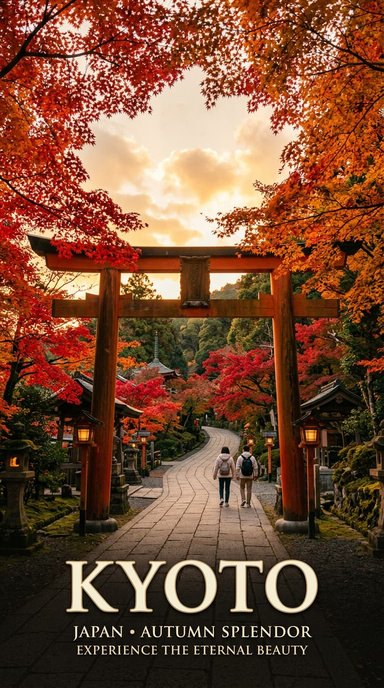
Describe what you want, get an image back. Nano Banana 2 handles photorealism, text rendering, and complex compositions without any tools.
Python
=
=
=
2. Text to Image with Google Search (Web Search)#
Adding a google_search tool makes the model search the web for factual information before generating.
Python
=
=
=
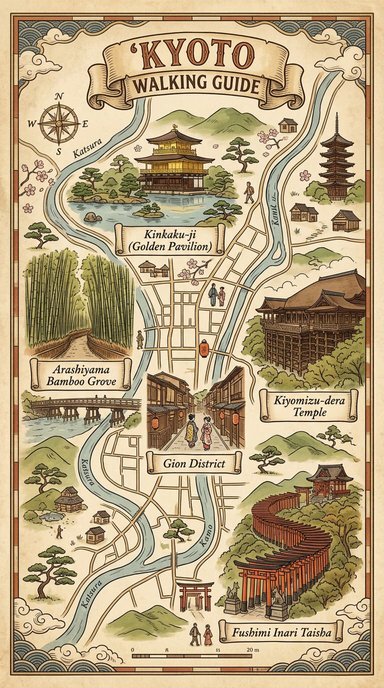
The model now searches for actual Kyoto landmarks and uses their real names and descriptions. It still imagines what they look like, though. For visual accuracy, the model needs to see reference images.
3. Text to Image with Google Search (Web + Image Search)#
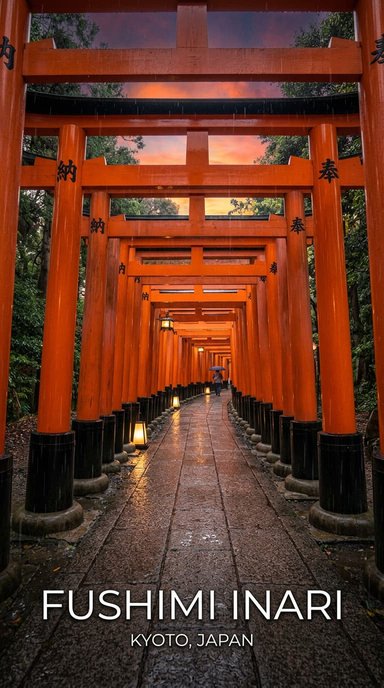
Nano Banana 2 adds Image Search as a new search type alongside Web Search, controlled via the search_types parameter. The model retrieves actual photographs from Google Image Search and uses them as visual references during generation.
With text-only search, the model knows Fushimi Inari has orange torii gates. With Image Search, it sees exactly what they look like.
Python
=
=
=
You can also use image_search on its own without web_search:
Python
=
The brochure now has factually accurate, visually faithful renderings of real landmarks. Next: adding a real person to the scene.
4. Text + Image to Image with Google Search (Web + Image Search)#
We can combine a reference photo of a person with text instructions and search grounding. Nano Banana 2 preserves the person's appearance from the reference image in the generated output.
We provide a headshot and ask the model to place the person into the Arashiyama bamboo grove, with Image Search ensuring the scene matches the real location.
Python
=
=
=
=
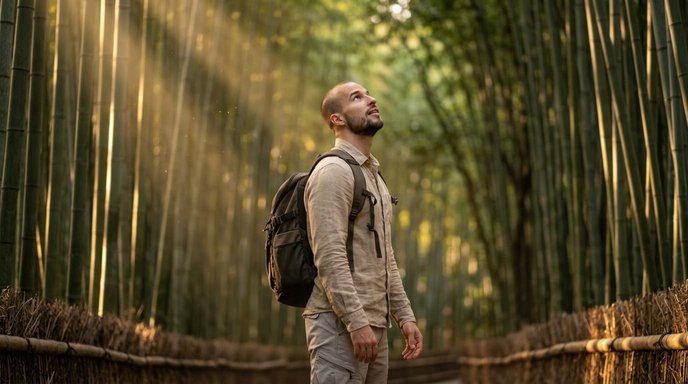
This single API call combines three Nano Banana 2 capabilities:
- Subject consistency: Preserves the person's appearance from the reference photo
- Image Search grounding: Retrieves real images of the bamboo grove for visual accuracy
- Web Search grounding: Pulls factual context about the location
Tips & Best Practices#
- The same prompt produces different images on each run.
- Some prompts may be blocked by safety filters. If your prompt is rejected, try adjusting the description.
- The
search_typesparameter withimage_searchrequires thegemini-3.1-flash-image-previewmodel specifically. - Subject consistency works best with clear, well-lit headshots. The model can maintain resemblance for up to 5 characters and 14 reference objects.
Other Resources#
- Nano Banana 2 Blog Post
- Image Generation Documentation
- Interactions API Documentation
- Try in AI Studio
- Pricing
Thanks for reading! If you have any questions or feedback, please let me know on Twitter or LinkedIn.