MCP vs CLI: Benchmarking Tools for Coding Agents

- MCPs as thin wrappers
- Building a CLI and MCP server
- Designing the evaluation
- The Results
- Reproducing the Results
- So, MCP or CLI?
MCP servers (MCPs for short) are all the rage. However, practitioners using agentic coding tools are usually skeptical. Many MCPs flood the context window with unnecessary output or offer dozens of tools, degrading your agent's performance by poisoning the context. Many practitioners (myself included) resort to letting coding agents directly call CLI tools instead. But what if we're wrong?
MCPs as thin wrappers#
Just like a lot of meetings could have been emails, a lot of MCPs could have been CLI invocations. For example, there's the GitHub MCP Server, which reimplements functionality that's already available in the GitHub CLI. There's little benefit of using that MCP compared to telling your coding agent to use its shell tool to run the GitHub CLI directly. In fact, most often the GitHub MCP Server will lead to much worse results than just letting the agent run the command line tool directly.
Another popular choice is Context7, which provides code snippets to help agents use popular libraries. I found some of my own libraries in there and the snippets are utterly useless. What works better is having Claude clone the dependency's repository, then let a sub-agent analyze it and generate a concise user manual for the task at hand.
But it depends on the MCP and available CLI tools. Sometimes there are no easy-to-use CLI tools, making MCPs sensible. Other times CLI tools are too verbose. MCP servers are also the only option for LLM clients without a built-in shell tool. And stateful tools are easier to implement as MCPs than CLIs since MCP servers are stateful by default.
I wanted to quantify the difference by writing an MCP server and a corresponding CLI that can be used with Claude Code and for which there are equivalent standard CLI tools Claude encountered during training. I then wrote a hacky evaluation framework to assess:
- what costs more
- what takes more time
- which approach has higher success rates
- whether the inherent knowledge about standard tools beats in-context learning about a previously unseen tool
Building a CLI and MCP server#
I started by building a tool that's inherently useful to myself: terminalcp, a (less capable) tmux alternative with an MCP server that lets agents control terminal applications (debuggers, REPLs, vim, htop) like Playwright controls browsers.
Here's a quick example of terminalcp in action using the CLI version to debug an executable with lldb and observing the session in a second terminal window:
And here's the terminalcp MCP server version used by Claude Code to debug the same executable with lldb:
Note how I can attach to the lldb session from another terminal instance and co-debug with Claude.
You can bore yourself to death by watching the making of the v0 of terminalcp or check out the source code. Here's a quick rundown:
- TerminalManager is the core: uses node-pty to spawn processes in pseudo terminals and xterm.js to render ANSI sequences.
- TerminalServer runs as a persistent daemon, auto-spawned when needed. Talks to clients via Unix socket (works on Windows too, thanks Node.js).
- TerminalClient handles communication between the MCP/CLI and the server.
- The MCP server just forwards LLM tool calls to the terminal server. Dead simple.
- CLI logic I stuffed into index.ts. Parses arguments, handles special keys (up, down, etc.) using tmux-style symbolic key names and control sequences.
- AttachClient lets users attach to running sessions as shown in the videos.
I tried to keep terminalcp token-efficient. The server replies with plain text, not JSON (in case of the MCP server, that plain text still gets wrapped in JSON-RPC messages, whoop whoop). The MCP server exposes a single terminalcp tool instead of one per command. This is not just voodoo. In an older version of the Claude Code documentation, Anthropic actually mentioned that there's a limit to the number of tools you should expose to the LLM, otherwise it gets confused (I can no longer find that reference). You can also find this old Claude Sonnet 3.7 cookbook where they introduce a batch tool so that Claude can call multiple tools in parallel.
Finally, the commands let you pick only the output you need. stdout can return just the last N lines of the rendered terminal scrollback buffer. stream can strip ANSI codes and return only new output since the last call with since_last. Here are all the commands, both the MCP tool arguments as JSON and the corresponding CLI invocation:
# start - spawn a process with optional name and working directory
# stop - kill one or all processes
# stdin - send input to a process
# stdout - get rendered terminal screen with optional line limit
# stream - get raw output, optionally incremental with since_last
# list - list all sessions
# term-size - get terminal dimensions
# Not exposed in CLI
# version - check compatibility
# kill-server - shut everything down
Finally, here's the tool description that the MCP server reports to the MCP client like Claude Code:
Get terminal screen: {"action": "stdout", "id": "proc-123"} # Current view + scrollback
Get last 50 lines: {"action": "stdout", "id": "proc-123", "lines": 50}
Get all output ever: {"action": "stream", "id": "proc-123"} # From process start
Get new output only: {"action": "stream", "id": "proc-123", "since_last": true} # Since last stream call
stream: Raw process output - returns all text the process has written to stdout/stderr.
Arrow keys: Up=\u001b[A Down=\u001b[B Right=\u001b[C Left=\u001b[D
Navigation: Home=\u001b[H End=\u001b[F PageUp=\u001b[5~ PageDown=\u001b[6~
Delete: \u001b[3~ Insert: \u001b[2~
Function keys: F1=\u001bOP F2=\u001bOQ F3=\u001bOR F4=\u001bOS
Meta/Alt: Alt+x=\u001bx (ESC followed by character)
This isn't quite perfect yet. For example, stdin could let you specify a pattern to watch for in the output and wait for it with a timeout, then return the new output. This would save a round trip between client and server. But it works well enough for my evaluation.
Designing the evaluation#
My aim wasn't to create a fully scientific evaluation. For that, you should check out Eugene Yan's blog, which has fantastic information. I just aim at getting some basic stats with which I can annoy people at a party.
Here's the bird's eye view: I defined three tasks requiring terminal control (start process, send input, get output) and four tools to test: terminalcp MCP server, terminalcp CLI, tmux, and screen. The task definitions and tool definitions are simple markdown files. Tool definitions include some frontmatter that defines how to add them to Claude Code's toolset if necessary, as well as how to clean up after a run that used this tool. These are the inputs to my evaluation framework.
The super hacky evaluation framework works like this:
-
Run the tests: For each task and tool combination, the framework spawns a fresh Claude Code instance with a clean config (no custom MCPs, no CLAUDE.md files). Each task/tool combination is run 10 times since LLMs are non-deterministic. The framework combines the task and tool definitions into a single prompt with instructions to output TASK_COMPLETE or TASK_FAILED markers. The Claude Code instance is driven via TerminalManager so the test runner can nudge Claude if it stalls. At the end of each run, it issues
/costto capture time, tokens, and cost. -
Capture everything: Each run produces multiple output files:
- The prompt that was sent
- The terminal scrollback buffer (what you'd see on screen)
- The raw ANSI stream (with and without escape codes)
-
Extract statistics: Parses outputs for success/failure markers, cost, time, and token usage by model.
-
Judge with Claude: The framework uses Claude Code to judge each task/tool combination, reading outputs and assessing what worked, what failed, and why. It also suggests improvements for the task. In a second pass, Claude ranks all tools for each task with analysis, insights, and recommendations.
The framework can run evaluations in parallel, repeat them multiple times for consistency, and handles cleanup between runs. A full run produces a lot of files.
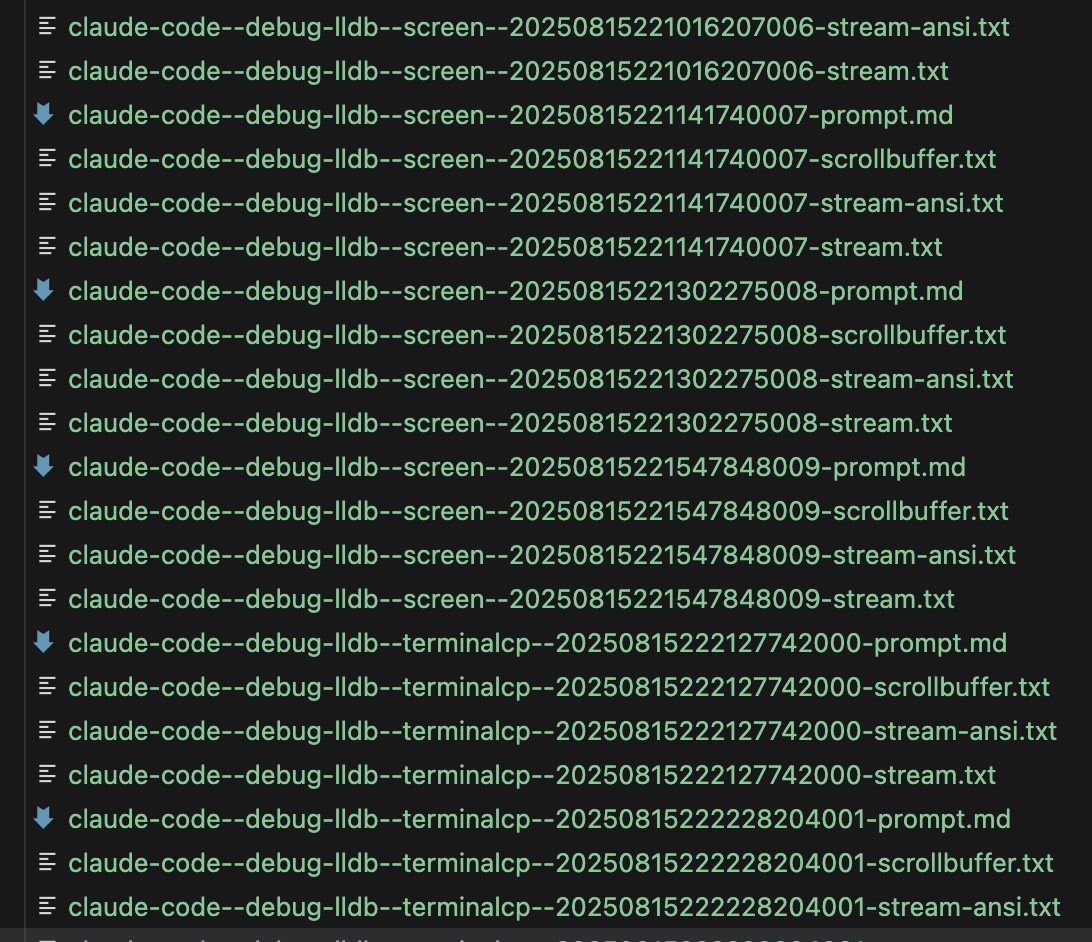
Which is why I use Claude as a judge to give me some initial insights I can then use to navigate the files for manual analysis.
Let's have a quick look at the tools and task definitions.
Tool definitions#
I try to make the tool definitions follow the exact same structure, so the comparison is fair. This includes instructions for special keys, multiline input, scrollback handling, and other operations the agent needs to perform with the tool to complete the tasks. The goal is to give each tool equal footing via in-context information.
The terminalcp MCP server already reports the tool description, so I only added a few more hints. Here's the full definition:
1. 2.3.4.
- -----The terminalcp CLI tool definition is bigger since I need to explain the command syntax:
1. 2.3.4.
- - -
- -
- - - - -
- - - -
-
- ---
The tmux tool definition follows the same structure, mapping each terminalcp operation to its tmux equivalent:
1. 2.3.4.
- - - -
-
- - - - -
- - - -
-
-
- ----
The screen tool definition follows the same pattern, except there's a bug in screen v4.0.3 that requires a one-time workaround command to enable hardcopy:
1. 2.3.4.5.
- - - -
-
- - - -- - - -
-
- ----
Task definitions#
I created three tasks that exercise different aspects of terminal control. They should speak for themselves. Probably the most interesting one is the project analysis task where the agent needs to command OpenCode and navigate its TUI.
Task 1: Debug with LLDB (debug-lldb.md)
- ---Task 2: Python REPL (python-repl.md)
1. 2.3.4.5.6.
Task 3: Project analysis (project-analysis.md)
1.
2.
3.
4.
5.
Example evaluation prompt#
Here's what the evaluation framework actually sends to Claude Code when combining a task and tool definition. This is the prompt for the Python REPL task with tmux:
1. 2.3.4.5.6.
1. 2.3.4.
- - - -
-
- - - - -
- - - -
-
-
- ----
- -Running the evaluation#
The evaluation runs through a simple CLI where I specify which task/tool combinations to test and how many repetitions. The framework generates prompts for each combination, spawns Claude Code via TerminalManager, and monitors execution. If Claude stalls, it gets nudged to continue. Once complete, it captures costs and saves all outputs.
Here's what that looks like:
Since I'm evaluating terminal multiplexers, I can attach to the session and watch what Claude is doing.
Statistics and judgments#
After all runs complete, a second CLI command parses the outputs, extracts statistics, and has Claude judge each task/tool combination and rank the tools.
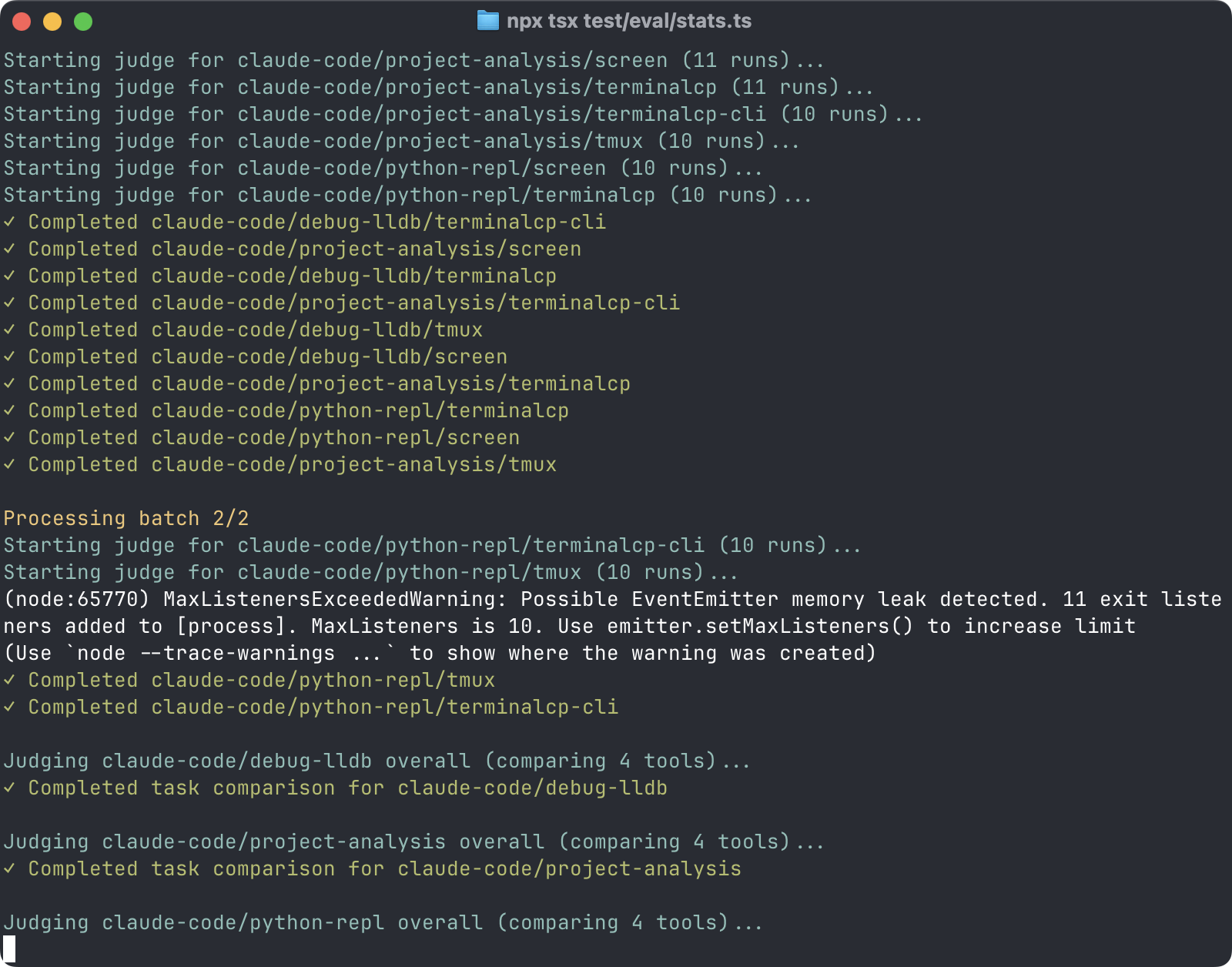
All of that gets written to a final evaluation-summary.json file which looks something like this:
{
  "claude-code": {
    "debug-lldb": {
      "judgeNotes": "## Tool Comparison for debug-lldb\n\n### Rankings\nRank the tools from best to worst based on:\n1. Success rate: All tools tied at 100%\n2. Efficiency (tokens/turns): \n   - 1st: tmux (avg 0.3729 cost, 1m 28.7s)\n   - 2nd: terminalcp-cli (avg 0.3865 cost, 1m 37.2s)  \n   - 3rd: terminalcp (avg 0.4804 cost, 1m 22.2s)\n   - 4th: screen (avg 0.6003 cost, 1m 46.2s)\n3. Ease of use:\n   - 1st: terminalcp\n   - 2nd: tmux\n   - 3rd: terminalcp-cli\n   - 4th: screen\n4. Overall effectiveness:\n   - 1st: tmux\n   - 2nd: terminalcp\n   - 3rd: terminalcp-cli\n   - 4th: screen\n\n### Best Tool: tmux\nTmux performed best for this task due to its combination of lowest cost ($0.3729 avg), consistent clean execution, and efficient debugging workflow without unnecessary steps or workarounds.\n\n### Tool-by-Tool Analysis\n- **screen**: Most expensive ($0.6003 avg) and required expect workaround for hardcopy bug, but provided reliable debugging with thorough analysis. Several runs unnecessarily examined source code before debugging, reducing efficiency.\n- **terminalcp**: Simple and straightforward terminal interface with good efficiency, though some runs included unnecessary file reading. Second fastest average duration at 1m 22.2s despite higher token usage than tmux.\n- **terminalcp-cli**: CLI-based approach had occasional session management issues (\"Process not found\" errors) and some inefficient multi-session runs. Middle-tier performance with reasonable cost but longest average duration.\n- **tmux**: Most efficient with lowest cost and consistent clean execution across all runs. No workarounds needed and minimal unnecessary steps, with only one run setting an unneeded breakpoint.\n\n### Key Insights\nAll tools achieved 100% success rate for this debugging task, showing that terminal multiplexers are reliable for LLDB integration. The main differentiators were efficiency and ease of use, with simpler interfaces (terminalcp, tmux) outperforming more complex ones (screen, terminalcp-cli) in terms of cost and execution time.\n\n### Recommendation\nTmux should be preferred for LLDB debugging tasks due to its lowest cost, fastest average execution time, and cleanest implementation without requiring workarounds or experiencing session management issues.",
      "screen": {
        "judgeNotes": "Now I have read all the evaluation files for claude-code using screen on the debug-lldb task. Let me provide my assessment in the required format:\n\n## Overall Performance\nThe agent consistently succeeded in all 10 runs, correctly identifying the NULL pointer dereference crash in the demo-buggy program using LLDB through Screen. Performance was reliable with thorough debugging analysis in each run.\n\n## What Went Well\n- Successfully started LLDB sessions through Screen in all runs\n- Correctly identified the crash location (demo-buggy.c:26 in add_score function)\n- Accurately diagnosed the root cause (NULL pointer dereference of scores field)\n- Properly examined variables, memory, and call stack as requested\n- Consistently used the expect workaround for Screen's hardcopy bug\n- Provided detailed technical analysis including memory addresses and variable states\n- Properly cleaned up Screen sessions after completion\n\n## What Went Wrong\n- Some runs unnecessarily examined the source code files before debugging (runs 3, 4, 8, 9)\n- Occasional redundant tool calls when examining variables\n- Minor inconsistency in debugging approach (some set breakpoints, others ran directly)\n- Some runs were more verbose than necessary in their analysis\n\n## Run-by-Run Analysis\n- Run 20250815220002898000: Pass - Clean execution with efficient debugging and clear root cause analysis\n- Run 20250815220123424001: Pass - Thorough debugging with proper variable examination and detailed analysis\n- Run 20250815220303961002: Pass - Good execution but included unnecessary file listing before debugging\n- Run 20250815220434495003: Pass - Comprehensive analysis but unnecessarily read source code first\n- Run 20250815220625079004: Pass - Very detailed debugging with breakpoints and step-by-step analysis\n- Run 20250815220855669005: Pass - Efficient debugging with clear identification of the NULL pointer issue\n- Run 20250815221016207006: Pass - Good execution with proper variable examination and concise analysis\n- Run 20250815221141740007: Pass - Clean debugging session with thorough variable inspection\n- Run 20250815221302275008: Pass - Most comprehensive run with breakpoints and detailed stepping through code\n- Run 20250815221547848009: Pass - Efficient debugging with proper cleanup and comprehensive final analysis\n\n## Recommendations\nFocus on directly debugging the binary without reading source code first unless specifically needed. Standardize the debugging approach to either use breakpoints consistently or run directly to the crash. Reduce verbosity in analysis while maintaining technical accuracy. Consider batching related debugging commands to reduce the number of tool calls needed.",
        "runs": [
          {
            "agent": "claude-code",
            "task": "debug-lldb",
            "tool": "screen",
            "timestamp": "20250815220002898000",
            "success": true,
            "totalCost": 0.4039,
            "totalDurationWall": "1m 19.2s",
            "models": {
              "claude-3-5-haiku": {
                "input": 34100,
                "output": 679,
                "cacheRead": 0,
                "cacheWrite": 0
              },
              "claude-sonnet": {
                "input": 108,
                "output": 2100,
                "cacheRead": 637000,
                "cacheWrite": 40300
              }
            }
          },
          ... 9 more runs ...
      },
      "terminalcp": {
        "judgeNotes": "Now I've read all the files as instructed. Let me provide my assessment in the exact format requested:\n\n## Overall Performance\nThe agent successfully completed the LLDB debugging task in all 10 runs, consistently identifying the null pointer dereference crash in the add_score function. Performance was reliable with correct use of the terminalcp tool and appropriate LLDB commands to examine variables, memory, and call stack.\n\n## What Went Well\n- Successfully started LLDB sessions using terminalcp in all runs\n- Correctly identified the crash location (line 26, add_score function) in every run\n- Properly examined the Student structure and identified the NULL scores pointer\n- Used appropriate LLDB commands (run, print, bt, frame select) effectively\n- Correctly cleaned up sessions with stop command in all runs\n- Provided accurate root cause analysis identifying NULL pointer dereference\n- Maintained consistent workflow: start → run → examine → analyze → stop\n\n## What Went Wrong\n- Run 3 and 4 unnecessarily read source files before debugging (Read tool usage)\n- Some runs used verbose list commands to view source code when not essential\n- Run 4 stepped through create_student function unnecessarily, making session longer\n- Minor inconsistencies in session naming (lldb_debug, lldb-debug, debug_session, lldb)\n- Some runs included excessive detail in final analysis when conciseness would suffice\n\n## Run-by-Run Analysis\n- Run 20250815222127742000: Pass - Clean execution with concise, accurate analysis\n- Run 20250815222228204001: Pass - Good debugging, noted additional off-by-one bug in calculate_average\n- Run 20250815222333672002: Pass - Thorough analysis including intentional bug comment discovery\n- Run 20250815222509136003: Pass - Read source unnecessarily but completed task correctly\n- Run 20250815222634596004: Pass - Read binary first, used breakpoints and stepping (overcomplicated)\n- Run 20250815222855081005: Pass - Clean execution with good variable examination\n- Run 20250815223010524006: Pass - Efficient debugging with clear root cause identification\n- Run 20250815223125966007: Pass - Good use of list commands to view source context\n- Run 20250815223251410008: Pass - Multiple list attempts but successfully completed task\n- Run 20250815223426868009: Pass - Clean, efficient execution with proper analysis\n\n## Recommendations\nFocus on using only LLDB through terminalcp as specified in the task requirements without additional file reading. Maintain consistent session naming conventions. Keep final analysis concise while covering all essential points. Avoid unnecessary stepping through code when the crash information is sufficient for root cause analysis.",
        "runs": [
          {
            "agent": "claude-code",
            "task": "debug-lldb",
            "tool": "terminalcp",
            "timestamp": "20250815222127742000",
            "success": true,
            "totalCost": 0.3008,
            "totalDurationWall": "59.2s",
            "models": {
              "claude-3-5-haiku": {
                "input": 2000,
                "output": 78,
                "cacheRead": 0,
                "cacheWrite": 0
              },
              "claude-sonnet": {
                "input": 130,
                "output": 1900,
                "cacheRead": 555100,
                "cacheWrite": 27400
              }
            }
          },
          ... 9 more runs ...
You may have noticed that the structure would allow for evaluating other coding agents as well. I've started work on that because I'd really like to see how Gemini CLI and OpenCode fare. We'll see if I have time to do that.
The Results#
After 120 evaluation runs (3 tasks × 4 tools × 10 repetitions), here's what emerged:
Loading evaluation results...
Token Usage#
Key Findings#
-
MCP vs CLI truly is a wash: Both terminalcp MCP and CLI versions achieved 100% success rates. The MCP version was 23% faster (51m vs 66m) and 2.5% cheaper ($19.45 vs $19.95).
-
Screen completely failed on project analysis: Screen had 0% success on the project analysis task - it couldn't switch models in OpenCode's TUI. This dropped its overall success rate to 67%.
-
MCP's hidden advantage: no security checks: The lower Haiku token usage for terminalcp MCP (35k vs 1.3-2M) reveals that CLI tools trigger Claude Code's malicious command detection on every bash invocation. MCP bypasses this overhead entirely. It also means fewer round trips to Anthropic's servers.
-
Task complexity determines the winner: For simpler tasks (LLDB debugging, Python REPL), tmux actually beats terminalcp on cost by 10-22%. But for complex tasks requiring more back-and-forth (project analysis), terminalcp's cleaner output gives it a 39% cost advantage over tmux. Overall totals are close: terminalcp at $19-$20, tmux at $22.
Reproducing the Results#
You can download the full evaluation results if you want to dig into the details. The framework writes out the raw ANSI stream from each run. You can even playback the Claude Code sessions with cat:
Easy mode: Run individual prompts#
Just take any -prompt.md file from the evaluation results and feed it into Claude Code. Make sure you have the required tools installed:
- terminalcp: Clone repo, run
npm install, then run Claude Code in the cloned repo dir - tmux: Install via package manager (
brew install tmux,apt-get install tmux, etc.) - screen: Usually pre-installed on Linux/macOS
Full mode: Run the complete evaluation#
Clone the repo and run the evaluation framework:
# Run ALL evaluations (3 tasks × 4 tools × 10 repetitions)
# Or run specific combinations
# Generate statistics after runs complete
Available options:
--agents: Agent to use (for now just: claude)--tasks: Task names (debug-lldb, python-repl, project-analysis) or file paths--tools: Tool names (terminalcp, terminalcp-cli, tmux, screen) or file paths--repeat: Number of repetitions per combination (default: 1)--parallel: Number of parallel evaluations (default: 1)
For the debug-lldb task you need to have LLDB installed. For the python-repl task, you need to have Python 3+ installed. For the project-analysis task, you need to install opencode and you'll need GROQ_API_KEY set in your environment as the task uses GPT-OSS 120B through Groq in opencode.
So, MCP or CLI?#
The answer is, at least for this specific case, it doesn't matter as much as you'd think. What actually matters:
-
Tool design: A well-designed, token-efficient tool can beat standard tools. Terminalcp's clean output and simple interface outperformed tmux and screen despite their training data advantage.
-
Documentation quality: Clear, concise instructions with examples can perform equally well as being in the training data. The terminalcp tool descriptions were enough to achieve 100% success rates.
-
Token efficiency: Both MCP and CLI can be token-efficient if designed well. The problem with many MCPs isn't the protocol - it's that they're badly designed wrappers that dump unnecessary JSON everywhere.
My takeaway? Maybe instead of arguing about MCP vs CLI, we should start building better tools. The protocol is just plumbing. What matters is whether your tool helps or hinders the agent's ability to complete tasks.
That said, if you're building a tool from scratch and your users already have a shell tool available, just make a good CLI. It's simpler and more portable. Plus, the output of your CLI can be further filtered and massaged just by piping it into another CLI tool, which can increase token efficiency at the cost of additional instructions. That's not possible with MCPs.
Once you have a well-designed, token-efficient CLI tool, adding an MCP server on top of it is very straightforward.
This page respects your privacy by not using cookies or similar technologies and by not collecting any personally identifiable information.