Liberating Code Review
Code review has traditionally been tied to an interface where a human reads diffs. Now, we've fully decoupled the review agent from any UI, making it a composable and extensible subroutine that can be invoked from many different places where it is useful:
- You can run
amp reviewin the CLI to run the review agent directly - You can request a review in any thread using natural language like "review the outstanding changes" or "review changes since diverging from main"
This composability also means you can more easily close the loop by asking the main agent to automatically fix the issues found or by piping review comments into another command.
Invoking the review agent directly using amp review:
Requesting a review from within a thread: 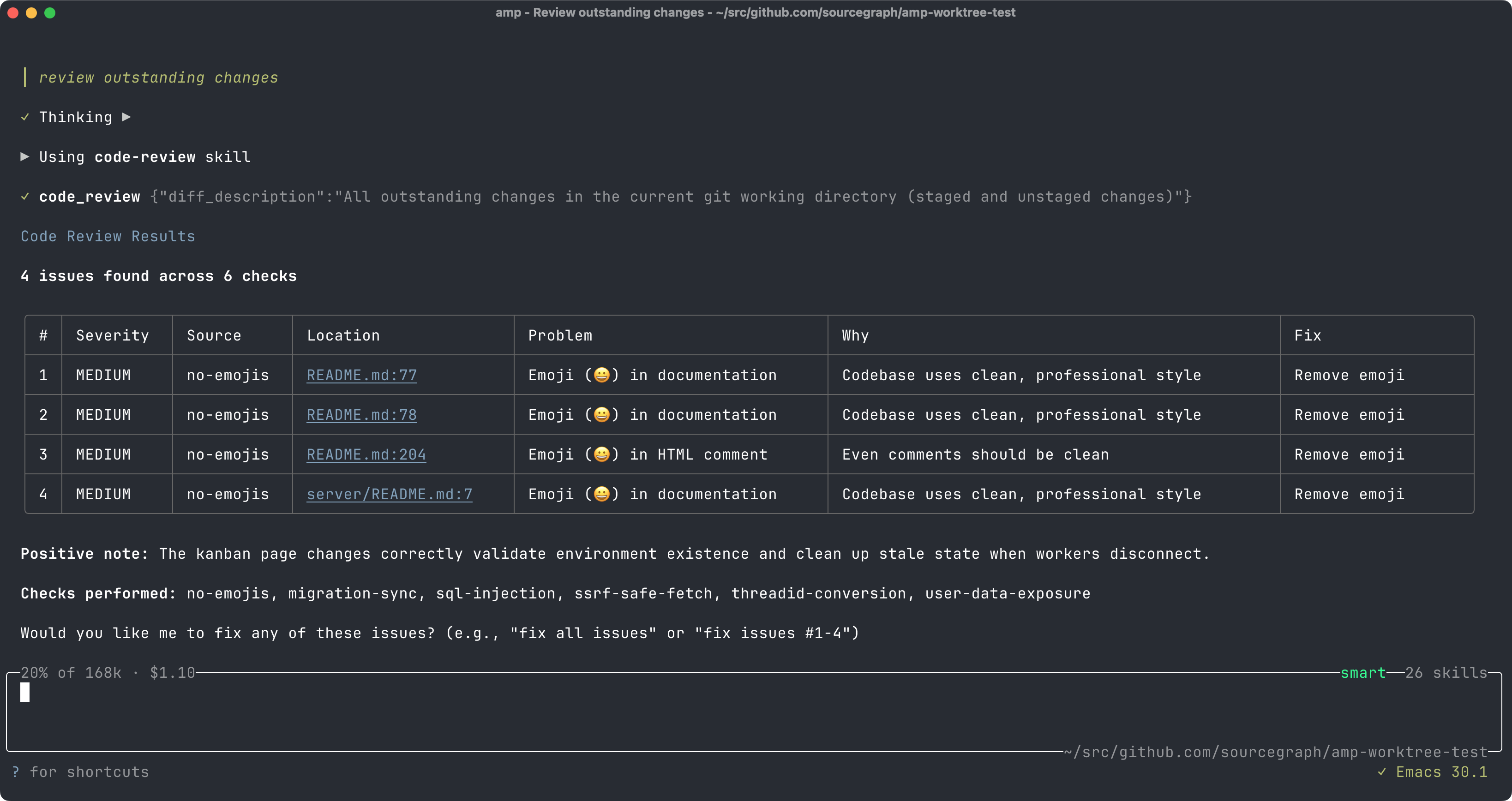
Customizing Review with Checks#
You can also define Checks within your codebase. Checks are user-defined invariants or review criteria scoped to specific parts of your codebase. They are defined in .agents/checks/ directories.
Here's an example performance check, which you could save to .agents/checks/perf.md:
- ---
The code_review tool will kick off a separate agent for each check. This provides a stronger guarantee that each check will actually be checked than if the checks were embedded in a general context file like AGENTS.md.
Here are some more examples of useful checks:
- Performance best practices specific to your stack
- Common anti-patterns your team has hit before
- Security best practices or invariants
- Migration reminders for deprecated APIs
- Stylistic conventions that aren't in the linter
- Compliance requirements
Checks are scoped to the directory that contains .agents/, so a root .agents/checks directory would cover the entire codebase while api/.agents/checks would cover files under api/.